显示标签为“Launch X431 V+”的博文。显示所有博文

2020年9月7日星期一

How to ...Launch x431 V Enables Hyundai Service Interval

 Launch x431 V is able to do  Service Interval on Hyundai I10 I20, here is the step-by-step guide for you:


.Launch x431 V Enables Hyundai Service Interval 1


Go to "Reset".

.Launch x431 V Enables Hyundai Service Interval 2


Oil reset.

.Launch x431 V Enables Hyundai Service Interval


Tap "OK".

.Launch x431 V Enables Hyundai Service Interval 4


Go to "Hyundai".

.Launch x431 V Enables Hyundai Service Interval 5


Switch on ignition as the screen pops up.

.Launch x431 V Enables Hyundai Service Interval 6

It will automatically read out the Vin number.


Tap "General".

 
.Launch x431 V Enables Hyundai Service Interval 7


Tap "I10 (IA)".

.Launch x431 V Enables Hyundai Service Interval 8


2014 - 2018.

.Launch x431 V Enables Hyundai Service Interval 10


Special function.
.Launch x431 V Enables Hyundai Service Interval 12


Service reminder setting.

.Launch x431 V Enables Hyundai Service Interval 12


Tap "OK".
.Launch x431 V Enables Hyundai Service Interval 13


You see "Coding Not completed", tap "Workshop".

.Launch x431 V Enables Hyundai Service Interval 13


Tap "OK".

.Launch x431 V Enables Hyundai Service Interval 14


Save completed!

Press [OK] button.


.Launch x431 V Enables Hyundai Service Interval 15


Tap "Distance".

.Launch x431 V Enables Hyundai Service Interval 16


Please input the distance.
.Launch x431 V Enables Hyundai Service Interval17

Go to "Period".

.Launch x431 V Enables Hyundai Service Interval 18


Input the period "12".

.Launch x431 V Enables Hyundai Service Interval 19


Tap "OK"

.Launch x431 V Enables Hyundai Service Interval 20


Save completed!

.Launch x431 V Enables Hyundai Service Interval 21


Tap "Cancel".

.Launch x431 V Enables Hyundai Service Interval 22


If you go down on the dash, let me write up a bit, let's go drip drip drip and 365 days and 10000 miles.

.Launch x431 V Enables Hyundai Service Interval 23


So this is how you set up the Service Interval, if it has not been setup, unfortunately you can only do it with the diagnostic machine like X431 V pro.
All right, thanks, hope it helps.

www.obdexpress.co.uk

2020年9月4日星期五

How to...Launch x431 V Renault Megane DPF Regeneration

Launch x431 V is able to do Renault Megane 2013 DPF Regeneration,step-by-step below:

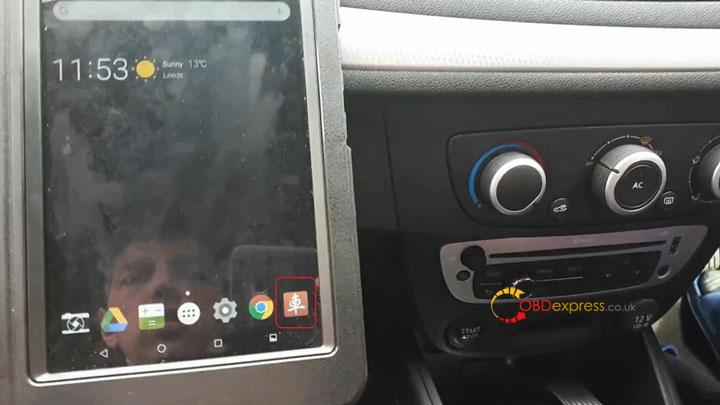
Launch X431 V Renault Megane Dpf Regeneration 01


Go to “Reset” – “DPF REG.”.

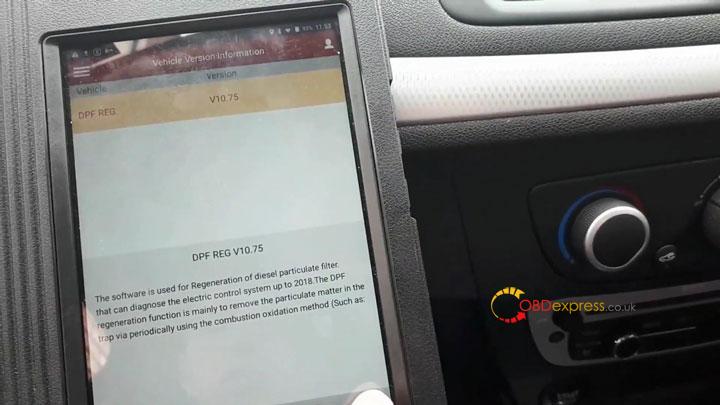
Launch X431 V Renault Megane Dpf Regeneration 02


Tap “OK”.

Launch X431 V Renault Megane Dpf Regeneration 03


Select “Renault”.

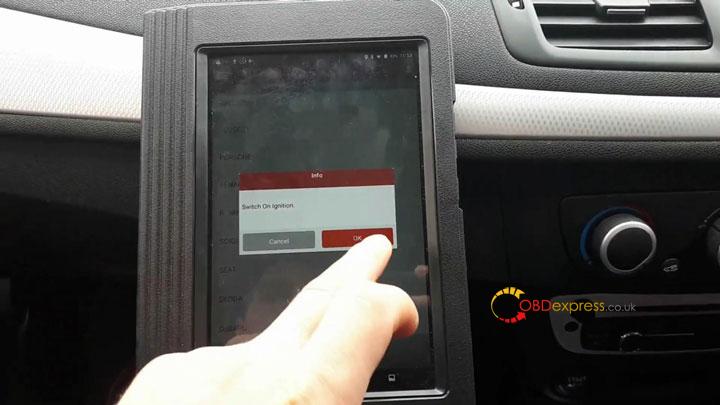
Launch X431 V Renault Megane Dpf Regeneration 04


Switch On ignition.

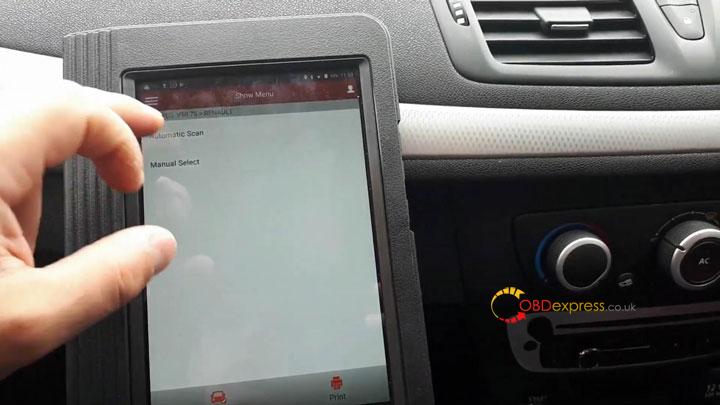
Launch X431 V Renault Megane Dpf Regeneration 05


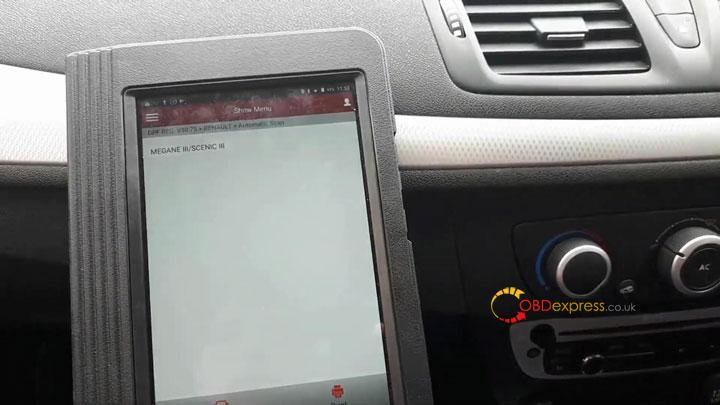
Select “Automatic Scan”.

Launch X431 V Renault Megane Dpf Regeneration 06


Megane III / Scenic III.

Launch X431 V Renault Megane Dpf Regeneration 07


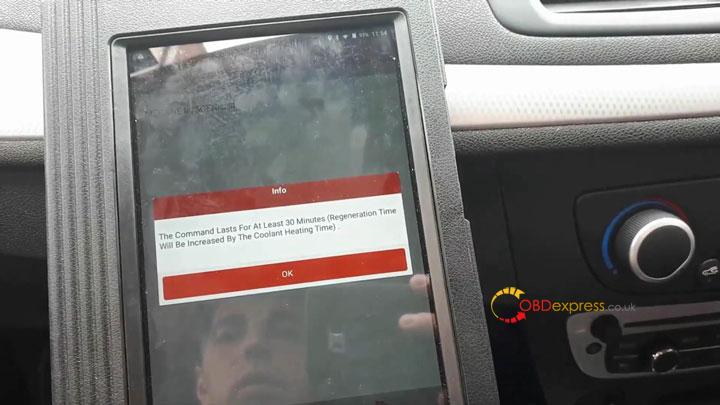
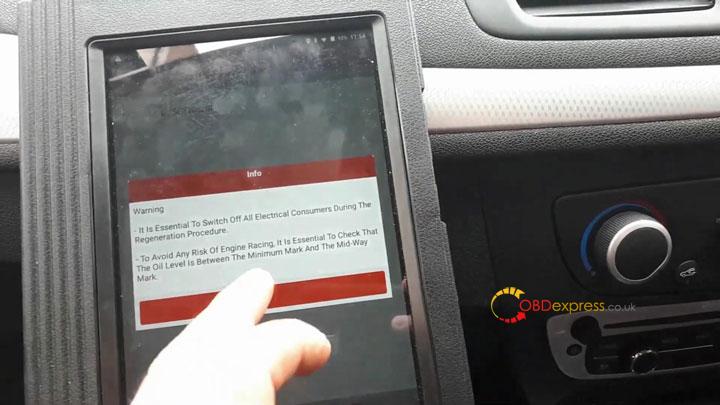
Some useful information here for you to follow.

8

Launch X431 V Renault Megane Dpf Regeneration 09Launch X431 V Renault Megane Dpf Regeneration 10


Warnings.

Launch X431 V Renault Megane Dpf Regeneration 11Launch X431 V Renault Megane Dpf Regeneration 12


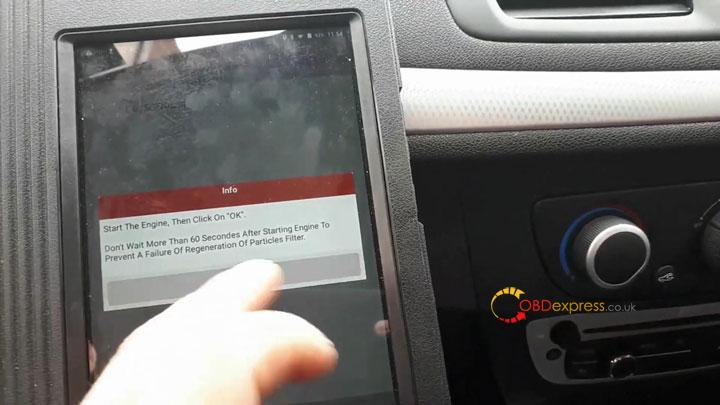
Info.

Launch X431 V Renault Megane Dpf Regeneration 13


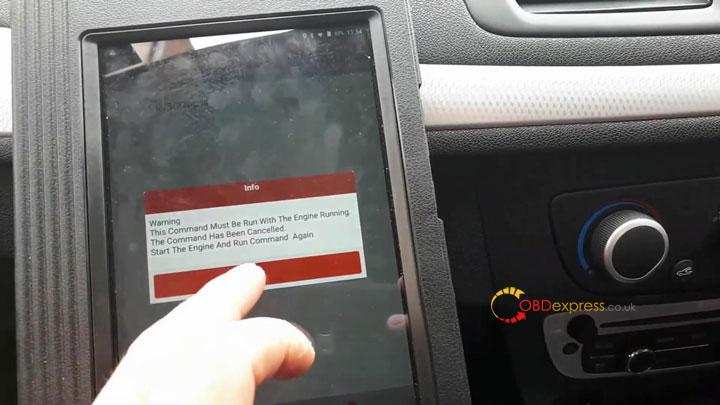
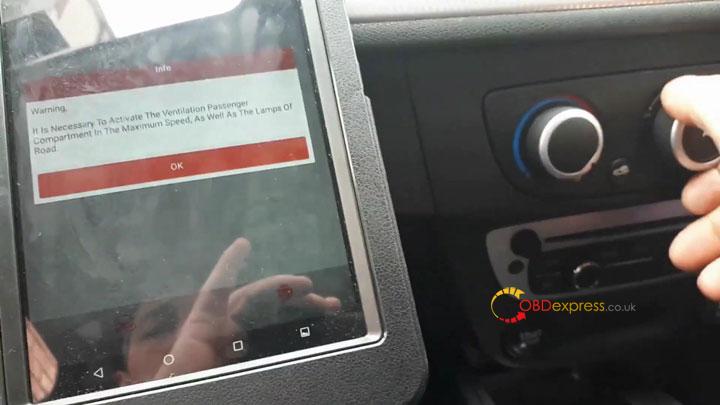
Warning.

It is necessary to activate the Ventilation Passenger Compartment in the Maximum speed. As well as the lamps of road.

Launch X431 V Renault Megane Dpf Regeneration 14


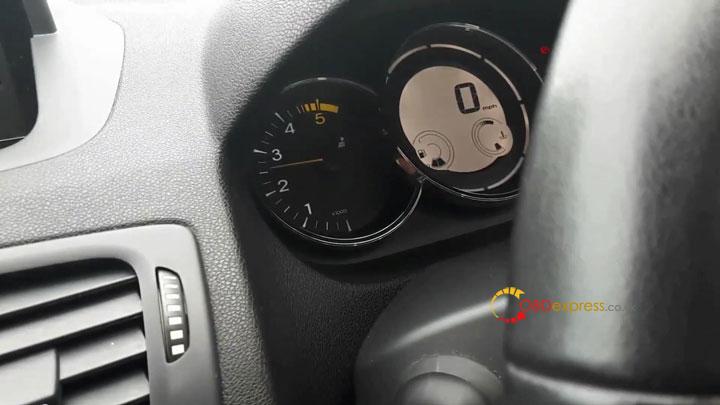
And you can see driving by itself.

Launch X431 V Renault Megane Dpf Regeneration 15


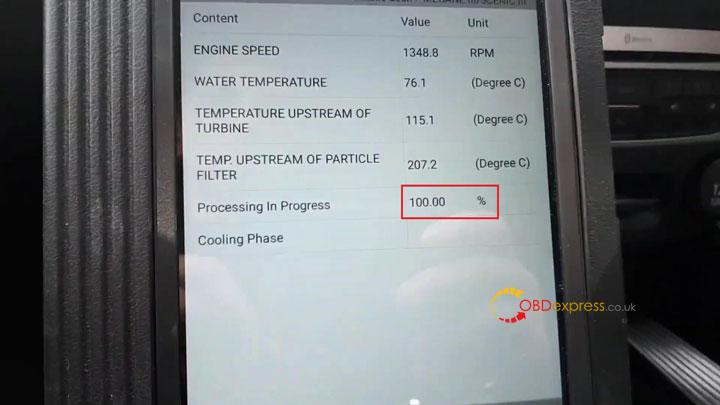
And live data all the time here.

We wait until it finish 100%.

Launch X431 V Renault Megane Dpf Regeneration 16


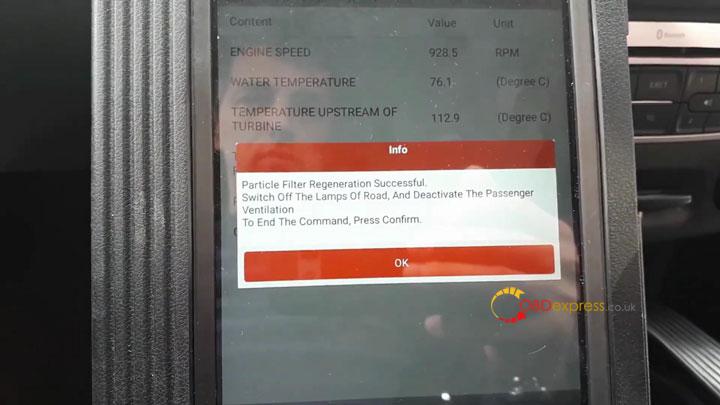
Particle Filter regeneration successful.

Switch off the lamps of road, and deactivate the passenger ventilation.

Launch X431 V Renault Megane Dpf Regeneration 17


All right, that’s about how you do DPF regeneration with Launch X431 V(X431 PRO)

Source:http://blog.obdexpress.co.uk/2020/09/04/launch-x431-v-renault-megane-dpf-regeneration/

2020年8月17日星期一

How to Check Cayenne 958 engine oil level by PIWIS or launch X431 V

In the Cayenne 958 Service Manual there is a procedure to check the engine oil level with the PIWIS tester. This is more accurate than the normal procedure with the instrument cluster screen and on top of that, it tells you how much oil you have to top to be at max level.

Here is the procedure:
WM 170101 CHECKING ENGINE-OIL LEVEL USING THE PIWIS TESTER (CAYENNE,
CAYENNE GTS, CAYENNE S HYBRID, CAYENNE S E, CAYENNE TURBO, CAYENNE
(3.0)) > CHECKING ENGINE-OIL LEVEL

Information
The PIWIS Tester II 9818 instructions take precedence and in the event of a discrepancy these are the
instructions that must be followed. Deviations may occur with later software versions.

1. PIWIS Tester II 9818 must be connected and ignition switched on.
2. Start the diagnostic program and select the required vehicle.
3. Select the DME control unit in the control unit overview. Press [F12] to continue.
4. Select the Maintenance/repairs menu. Press [F12] to continue.
5. Select the Oil filling function. Press [F12] to continue.
6. Start the engine and let it run until an engine oil temperature of 90° C is reached.Rev the engine if necessary to heat the engine oil to the specified temperature.
7.The oil level measurement process starts automatically as soon as the engine oil temperature
of 90° C is reached.
8. Switch off engine.
9. Add the quantity of oil displayed on the PIWIS Tester II 9818 .
10. Disconnect the PIWIS Tester.

With the X431 it is located in the “Oil filling” special function menu of the DME and here is how it works:

Test ongoing:

Check Cayenne 958 engine oil level by launch X431 V 1

Check Cayenne 958 engine oil level by launch X431 V 2


Result (0.9 liter to add):


Enjoy!

 Source:http://blog.obdexpress.co.uk/2020/08/18/check-cayenne-958-engine-oil-level-with-piwis-tester-or-x431-v/

2020年6月15日星期一

Diagnose European cars: Autel MaxiPro MP808K or Launch X431 v?

Have European cars (vag, MB, FORD, Peugeot, Renault, Porsche, Citroen) to perform diagnosis, live date, injector coding etc. Which is better Autel MaxiPro MP808K or Launch X431 Scanner?
launch x431 reviews:
  1. I like launch x431 v or x431 pro but x431 v is good tool and price and with 2 years update.

  1. There is nothing perfect!
    More equipment, more features.
    Launch - old company. I like.

  1. had issues with launch x431 internal rechargeable battery, mine started to pack-up after 7 years

  1. I had one issue def batteries from 37 sold tools after 3 years.

5.
To start on this model if you take it out of its case you can insert a Micro SD card to expand its memory! Peel the rubber surround off to get in to the Lenovo Tablet.
I have had this unit quite a while now and it is very good, it does have some limitations and does not program ALL Keys it will do some and not others and to add, certain keys it will only program central locking, the biggest problem is trying to get in touch with Launch themselves, but!
Pros and cons!
Pros:
Value for money ? Yes it is
Does diagnostics on all major manufactures models
Easy to use
Updates often
Robust construction
Can marry up a lot of ECU’s
Comes with plugs to test a good variety of units off the vehicle,
Has plugs to plug in to pretty much all 12 Volt Vehicles.
It will auto search for all modules on the car using a health check so you know what is does and does not have.
Works very well on jaguar land rover / Range rover,( WILL NOT MATCH KEY ON P38 range rover)
Cons:
When you have the fault code it gives you an area of which to check, then when you hit help 99% of the time it takes you to youtube which can be very embarrassing in front of a customer, ( although making a joke about it often allows the customer to associate with you :) )
Getting in touch with the manufacturer or support.
Certain aspects of the unit could allow you to do a lot of damage to ECU’s reprogramming ( not a con if you know what you're doing but only trained staff could use parts of it)
It searches for all modules on the car eg air conditioning, door control, but it can be limited as to what it can do when it opens certain modules.,
Verdict ... am I happy with my purchase HELL YEAH, a fabulous unit and I can honestly say having it with gives me an extra little edge when going round checking cars, does 99% of service resets, has a good range of “activate and test of units on the vehicle” all in all 9.5/10 I'd give it a 10 but the program key feature is not as good as it was made out to me
Isn't as in depth as eg, fords own software or Volkswagens but, to buy each companies individual software would cost a fortune
I’m not sure why it wouldn't work but I shut it off and back on and it let me enter the codes, I have tested it on my VW polo today and indeed it works very well, I will update this in a few days, however, I would have given it 5 stars if the unit had come with more clear instructions, they are not exactly vague but it didn't say anything about if you had a problem registering.
Launch X431 V Review 01

  1. Launch X431 V is a fantastic diagnostic tool, it has handled every job I have asked it to do so far. Coverage for most manufacturers is present, don't be fooled by the cost. This tool is very capable, from programming new keys and remotes to DPF regens, Injector coding, re-writing chassis numbers etc. Everyone I show this tool to is blown away at how much it can do. I love that after you carry out a full health check, you have a clear all Dtc button, this saves so much time. Cant do this tool enough justice with the small review I am writing here. I own much more expensive scanners, but the Launch Diagun is now my first choice Go to tool. 2 years free updates come included and updates are available often. It just works and guides you through each process if you are unfamiliar with it. Launch you have a winning product I would recommend to anyone looking for a very capable diagnostic tool at a very reasonable price.I normally don't write reviews for anything, but felt compelled to share my experience of this product. Excellent.

  1. Launch X431 V BMW 7 series 730 2016 review:
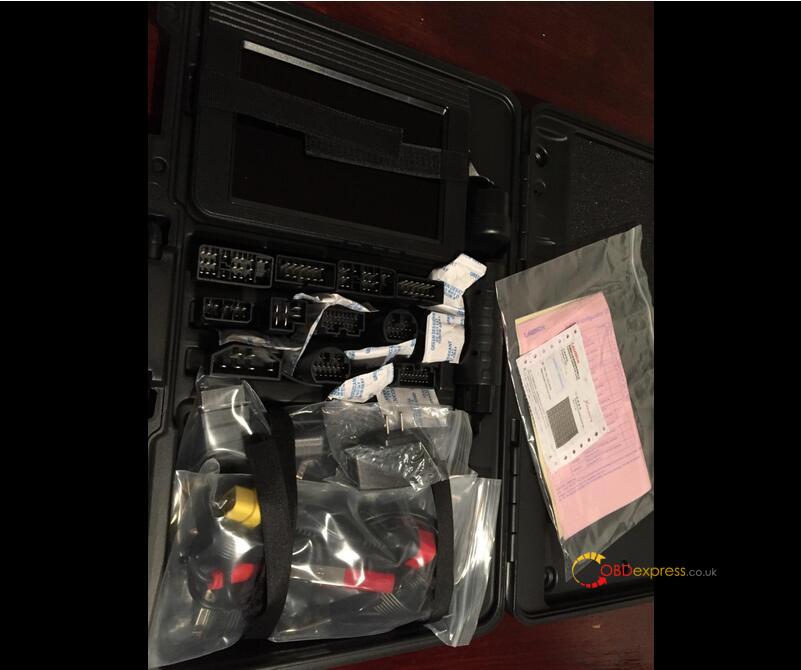
Having tested other scanners to try and get proper compatibility with my car; BMW 7 series 730 2016. This ticks all the boxes. The carry case full of connectors , a Bluetooth 16 pin plug and a Lenovo base tablet. proprietary software took an hour to update and then it successfully diagnosed a difficult fault on the car - it requires a new module as an intermittent fault.
I have tried seven scan tools , 3 from 1 manufacturer (hoping more expensive is better - not the case.) before using the Launch X431 V.
If luck had been on my side, I wouldn't have purchased nearly £3000 of goods before getting the right one.
The launch is maybe to some a bit plain, but I'd sooner have a competent plain Jane, as a no good but looks good item.

Autel reviews:
  1. Both Autel MaxiPro MP808K and Launch X431 are good on euro, Autel probably a bit better in my experience. updates are expensive on Autel although but if you use it every day it's worth it.
    saying that though I currently run a Launch. most workshops I visit have Autel
  2. Review on Mercedes-Benz
Solid platform from Autel. The software overlay is very stable and fairly snappy. The only thing that can be a tad sluggish are the transitions between modules (at least when connected to a Mercedes-Benz). The MP808K comes with a separate case for the non-OBD2 adapters, which is a nice touch (the main tablet case and OBD2 interface is come in a smaller case...much easier to haul around). Autel updates the vehicle specific modules very often, and the main software has updated twice for me since I received mine almost 2 months ago.
I have several vehicles but mainly use it on a diesel MB SUV. I've been able to initiate DPF regen cycles, as well as reset adaptations when changing filters and other components. This alone is worth the price of admission.
  1. Review on Ford 6.0L diesel &
I was looking for a diagnostic scanner that would do a power balance check on my Ford 6.0L diesel. I also wanted bi-directional capability. This MaxiPro MP808K has all of the bells and whistles, including the power balance and bi-directional capability. The interface was easy to navigate and I was able to get the balance test done quickly. I confirmed that my #2 injector is going bad.
Overall I believe this scanner has the most bang for the buck. I looked at many scanners, including cheaper OBD2 interfaces that plugged into my laptop. This scanner does exactly what I needed it to. It will also be useful on other vehicles that I have and may acquire in the future. For example, it will control the electronic parking brake on my VW Passat for pad changes. Very well built and the overall packaging and execution are top notch. Support is also readily available through the unit, phone, and internet/email. Glad I picked this one!

oem software reviews:
I was your situation before, and I decided to go with OEM vci route because think about you have to pay for software annually if you buy those aftermarket tool (some of the update is like close to $900 ANNUALLY in the case of top tier autel scanner). For OEM, you can get updated software from this forum FOR free. Top of that, OEM tool can read all of the PIDs and can do coding etc. For some of aftermarket tool, you cannot read all of PIDs although depends on brand. If you do euro car a lot, you should get oem vci or clone. Clone vci for those euro car is not that expensive. For instance, genuine vas5054a is like $300, genuine BMW vci is like $500, and MB passthru (MB vci is exceptionally expensive so recommend passthru route).
If you get passthru, you can use a lot of oem software like HDS, techstream, ODIS, SSM4 etc with much less limitation comparing with aftermarket scanner. OEM VCI is best, but costs a lot if you want to get all of OEM vci. If I am you, I will get base passthru like cardaq at first. Then, if buy specific OEM vci if passthru cannot handle oem software.
If you are really on aftermarket tool, I recommend Launch. I had autel before. To work with Peugeot, Renault, Porsche, Citroen, both can work.
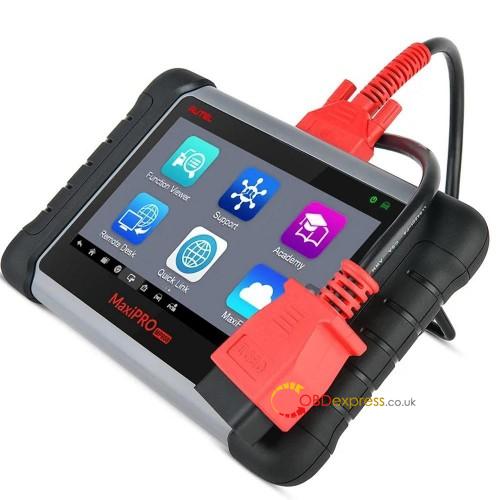
Autel Maxipro Mp808k Review


www.obdexpress.co.uk


Source:http://blog.obdexpress.co.uk/2020/06/15/diagnose-european-cars-autel-maxipro-mp808k-or-launch-x431-v/

2019年5月22日星期三

How to use Launch X431 V code E60 BMW 535xi (N54) INJECTORS?

Look here: how to use Launch X431 V to recode or change the injector flow rate for BMW’s, this was done a 2008 E60 535xi with the N54 direct injection twin turbo engine.

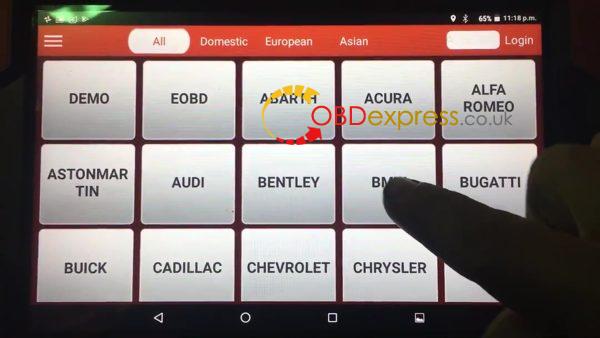
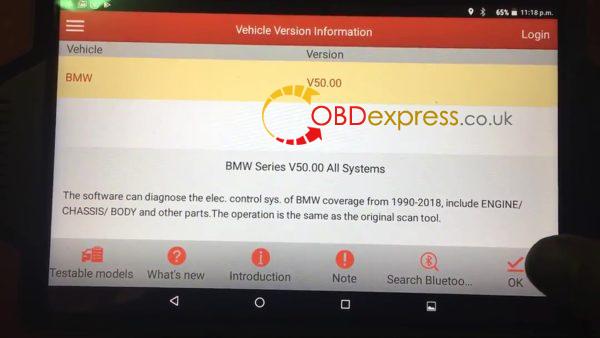
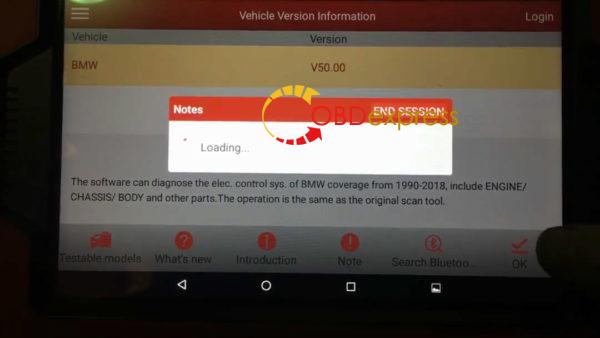
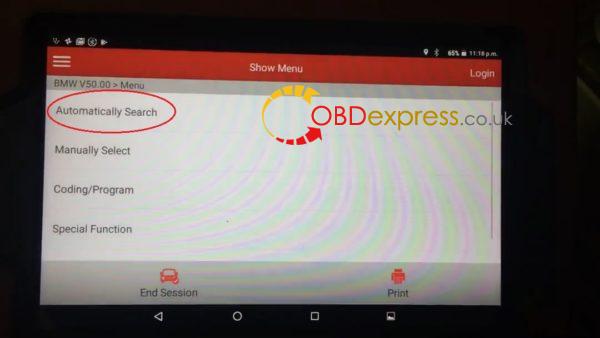
Select "BMW" - then "OK" to confirm the BMW newest Version (V50.00) is not the newest version, here is just an example.
launch_x431_how_to_code_e60_bmw_535xi_n54_injectors-01 launch_x431_how_to_code_e60_bmw_535xi_n54_injectors-01 launch x431 how to code e60 bmw 535xi n54 injectors 3
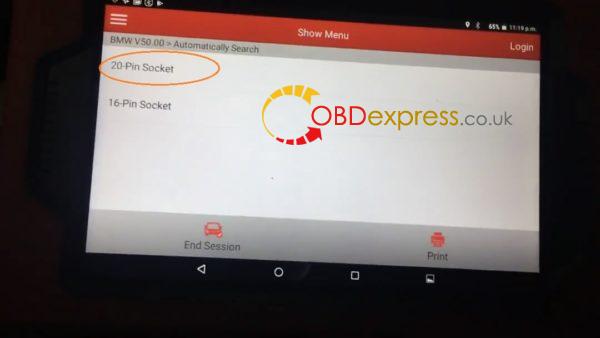
Automatically search.
launch x431 how to code e60 bmw 535xi n54 injectors 4

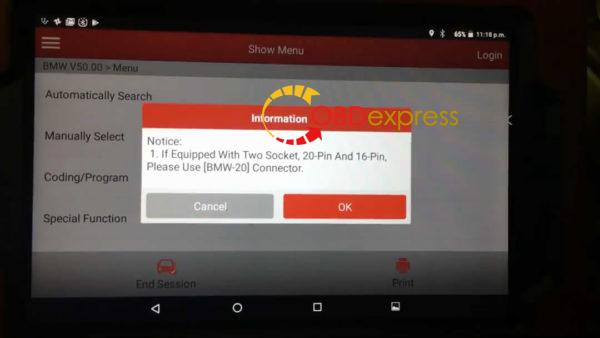
Information
1.If equipped with two socket, 20-pin and 16-pin, please use [BMW-20] connector.
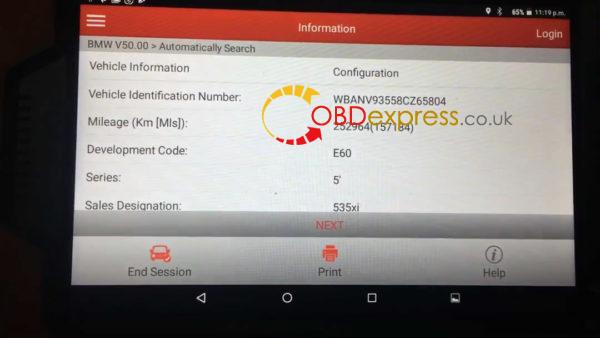
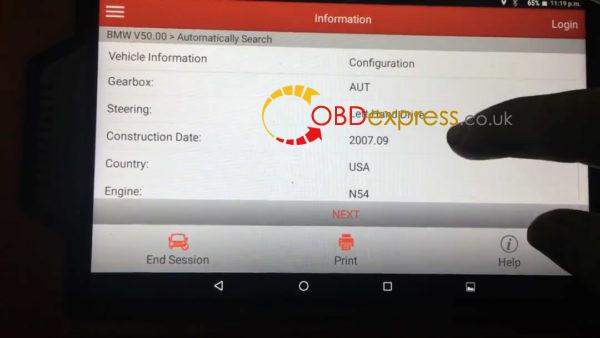
launch x431 how to code e60 bmw 535xi n54 injectors 5 launch x431 how to code e60 bmw 535xi n54 injectors 6 launch x431 how to code e60 bmw 535xi n54 injectors 7

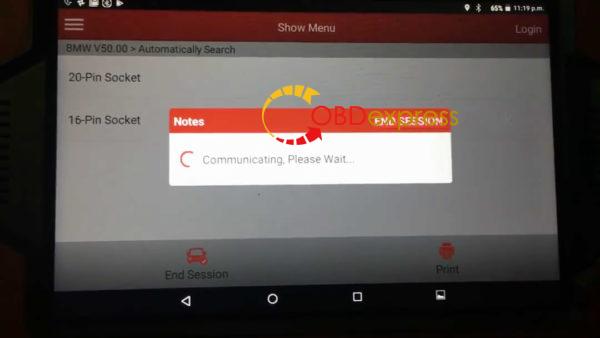
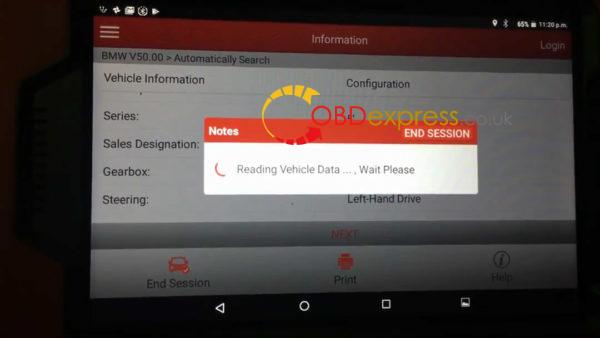
Read out the BMW information.
launch x431 how to code e60 bmw 535xi n54 injectors 8 launch x431 how to code e60 bmw 535xi n54 injectors 9

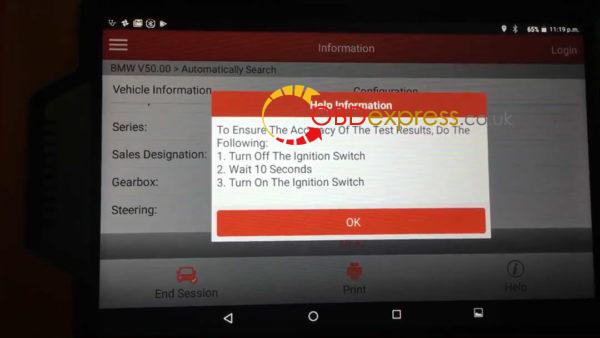
Help Information:
To ensure the accuracy of the test results, Do the following:
  1. Turn off the Ignition Switch.
  2. Wait 10 seconds.
  3. Turn on the ignition switch.
launch x431 how to code e60 bmw 535xi n54 injectors 10 launch x431 how to code e60 bmw 535xi n54 injectors 11 launch x431 how to code e60 bmw 535xi n54 injectors 12 launch x431 how to code e60 bmw 535xi n54 injectors 13

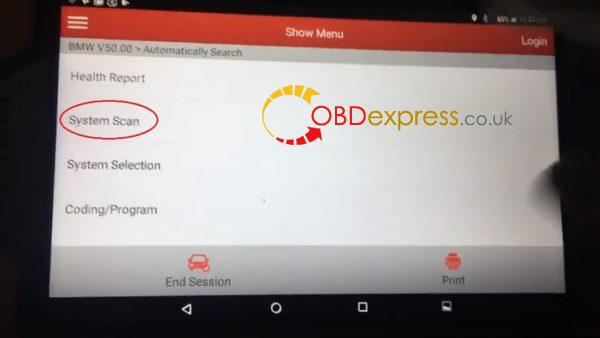
Select "System Scan".
launch x431 how to code e60 bmw 535xi n54 injectors 14
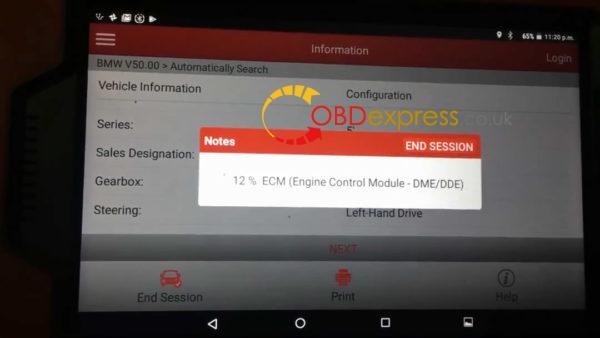
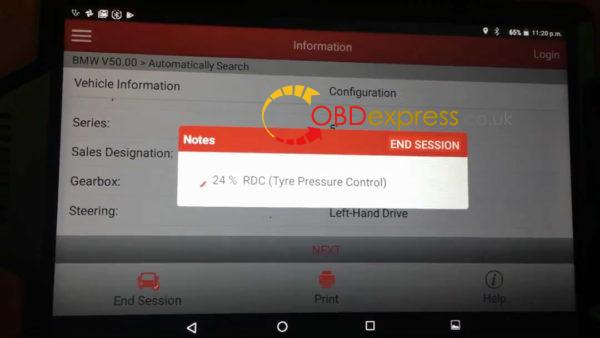
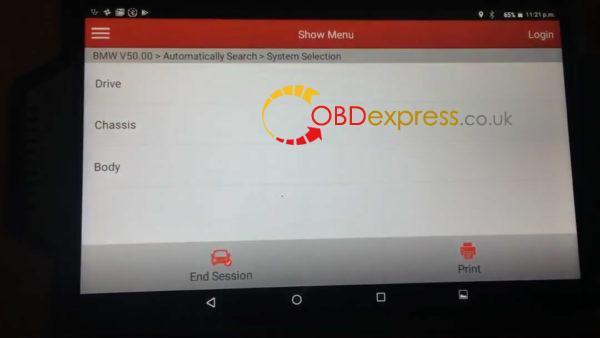
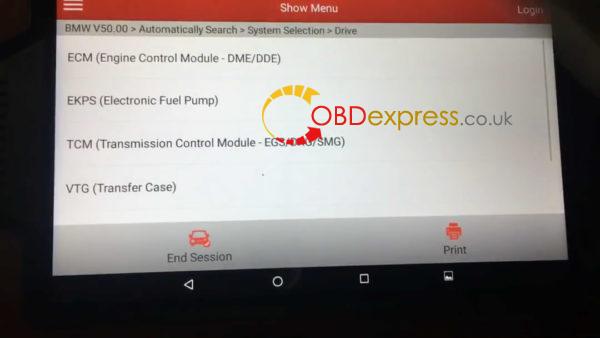
Select "Drive" , then "ECM (Engine Control Module -DME/DDE)".
launch x431 how to code e60 bmw 535xi n54 injectors 15 launch x431 how to code e60 bmw 535xi n54 injectors 16

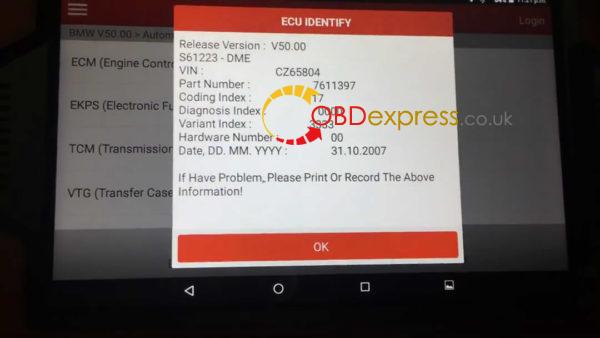
ECU Identify.
launch x431 how to code e60 bmw 535xi n54 injectors 17

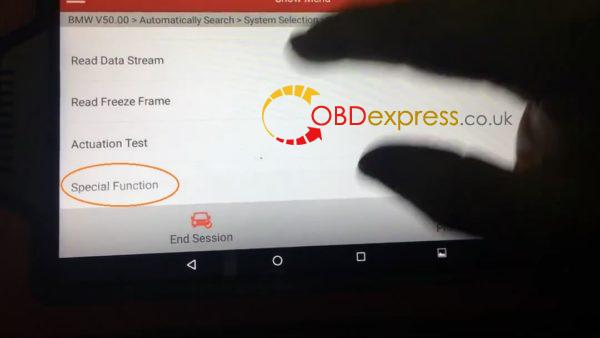
Special Function.
launch x431 how to code e60 bmw 535xi n54 injectors 18

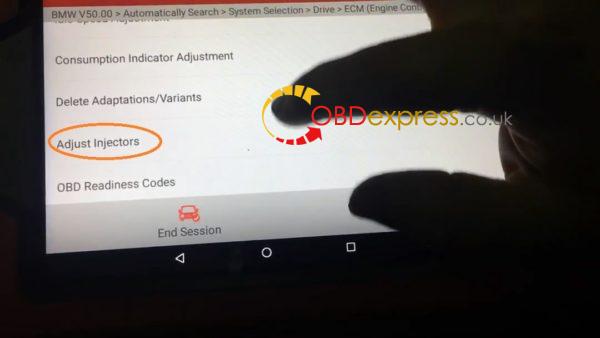
Select "Adjust Injectors."
launch x431 how to code e60 bmw 535xi n54 injectors 19

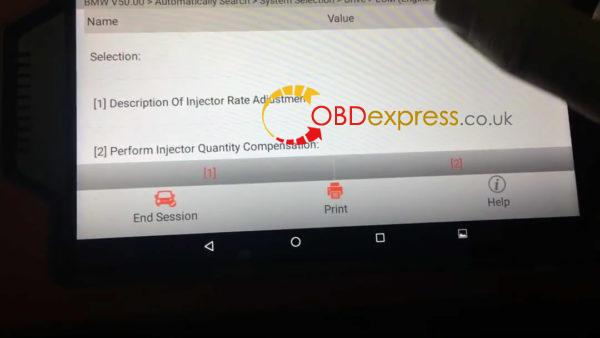
Selection:
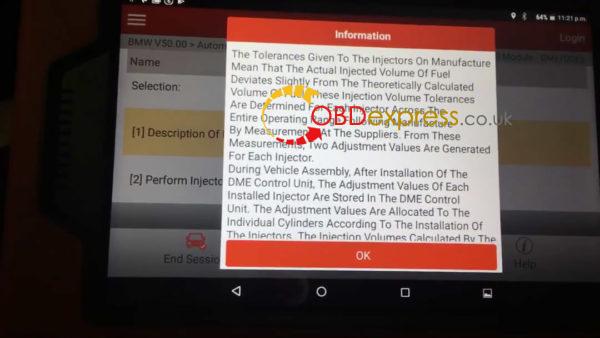
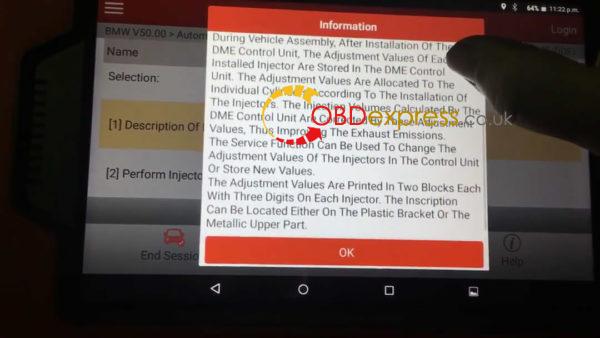
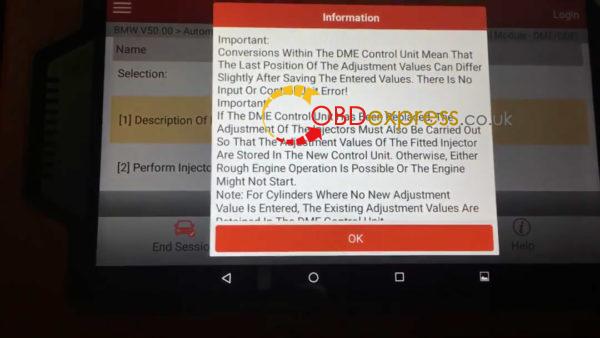
  1. Description of Injector Rate Adjustment.
launch x431 how to code e60 bmw 535xi n54 injectors 20 launch x431 how to code e60 bmw 535xi n54 injectors 21 launch x431 how to code e60 bmw 535xi n54 injectors 22 launch x431 how to code e60 bmw 535xi n54 injectors 23
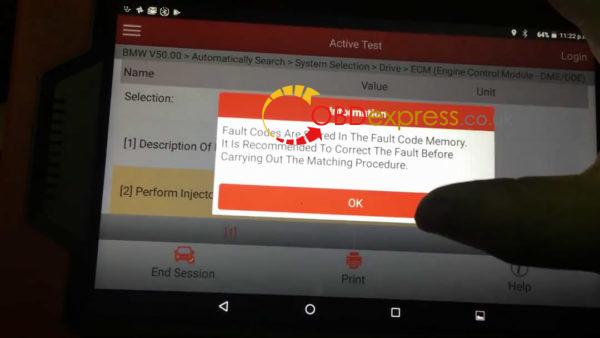
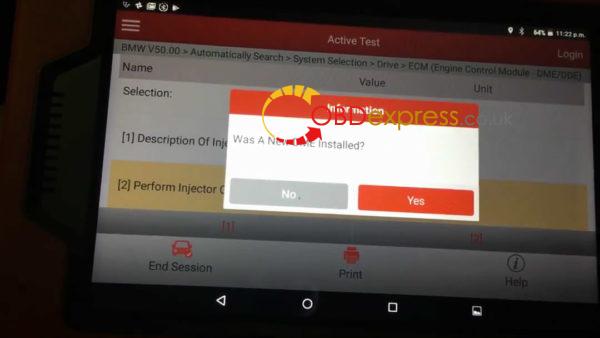
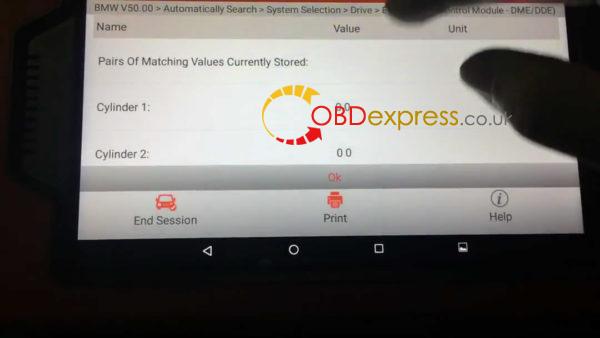
  1. Perform Injector Quantity Compensation.
launch x431 how to code e60 bmw 535xi n54 injectors 24 launch x431 how to code e60 bmw 535xi n54 injectors 25 launch x431 how to code e60 bmw 535xi n54 injectors 26

End the session.
Launch X431 V to recode or change the injector flow rate for E60 BMW 535xi (N54),works  done!
Enjoy.

www.obdexpress.co.uk


http://www.obdexpress.co.uk/service/launch-x431-v-to-recode-injector-flow-rate-for-bmws-36826.html