显示标签为“launch x431”的博文。显示所有博文

2021年7月30日星期五

Launch X431 Guide Function to Set VW Passat 2013 DSG Transmission

After replacing DSG transmission, DSG clutch pack & DSG mechatronic, the vehicle may get a fault code P175F00: transmission basic setting not perform.


How to do DSG transmission basic setting?

The procedure is taking VW Passat 2013 as an example, applies to Launch X431 PAD V, X431 PAD VII, X431 Pro V4.0, X431 Pro3 V4.0.


Having diagnosed systems for fault codes, go back to “Guided Functions”.


Fill in the vehicle basic characteristics including manufacturer, vehicle type, year, model, engine type, press “Start”.


Transmission electronics >> Guided functions >> J743 - Mechatronic, basic setting >> Continue/ complete >> Continue/ complete


Follow the instructions to operate:


Note: if the entire transmission is replaced, no basic setting is necessary.

To ensure proper communication between control modules, the installation info must be reset.

Continue/ complete >> 2. transmission basic setting >> Yes


Check Pre-Conditions:

More transmission selector lever to position P.

Apply parking brake.

Switch the engine off.

Switch the ignition on.

Press “Continue/ complete”.


Test requirements have been met.

Basic setting will continue.

Please wait the vehicle diagnostic tester automatically continues...


Basic setting active.

The basic setting is running, please wait...

Note:

During the basic setting, unusually loud gear shifting noises are noticed in the drive train.

Press “Continue/ complete”.

Start the engine...

Please wait...


The basic setting has been performed correctly.

Only when the ignition is switched off and on will the data in the mechatronic be stored.

Switch the ignition off.

Press “Continue/ complete”.


Wait for the control modules shutdown to complete.

Switch ignition on.

Note:

The basic setting is completed with the switching on of the ignition.

In the next test step a test drive for the adaptation of the adaptation values is to be performed.


Finally, let’s drive the vehicle to have a test.

It is normal, done!


Using Luanch-X431 Diagnostic Tool to perform DSG transmission basic setting after replacement is easy to be done.

Video tutorial
Launch X-431 PAD V Guided Functon on VW PASSAT 2013 DSG Transmission Basic Setting


Launch X-431 PAD V Guided Functon on VW PASSAT 2013 A/C Compressor first run


BTW , What are Launch X431 Guided Functions?

The Guided Functions are advantaged with their easy operations. A guided functions is composed of
multiple basic functions, freeing users from trouble such as looking up channel number and login code.
Every guided function has detailed operation guidance and operating condition statement. Targeted on
different car models and configurations, there are related operation guidance that provides
corresponding tips, auto log-in, matching, setting and coding. Having guided functions means having
the company of an expert who can provide idea, help looking up maintenance manual and test
functions while repairing a car. Till today, among the comprehensive diagnostic tools globally, very rare
of them support all guided functions of Volkswagen and Audi.

Launch X431 Supported Guided Functions:
Service Regeneration,Particle Filter(DPF)
Adapt Injector Correction Value
Reset Engine Control Adaptation Values
Throttle Learning
Fill Coolant Circuit
Adapt Values,SCR system
Activating/Deactivating Cruise Control System
Basic Setting Of Transmission
Basic Setting of Sensors (-G85/-G200/-G201/-G251)
Basic Setting/Bleeding Brake System
Initial A/C Compressor Run-In
Adaptation Automatic Locking At 15 km/h
Distance Control System Calibration
Deactivate Or Activate Airbags And Belt Tensioners
Adaptation Menu Key Multifunction Steering Wheel
Adapting Service Intervals
Service Interval Display,Resetting
Transport Mode, Switching Off/On
Level Control System Basic Settings
Brake Pad Change
Headlight Beam Adjustment
Battery Adaptation
Rear View Camera System Calibration
Driver Assistance Systems Front Sensor System Calibration
and so on

https://www.obd2shop.co.uk/


2020年6月15日星期一

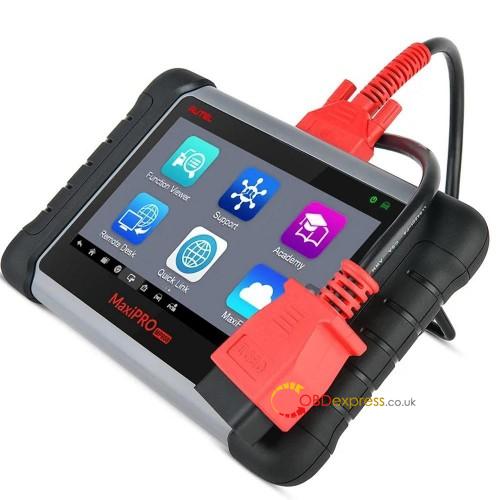
Diagnose European cars: Autel MaxiPro MP808K or Launch X431 v?

Have European cars (vag, MB, FORD, Peugeot, Renault, Porsche, Citroen) to perform diagnosis, live date, injector coding etc. Which is better Autel MaxiPro MP808K or Launch X431 Scanner?
launch x431 reviews:
  1. I like launch x431 v or x431 pro but x431 v is good tool and price and with 2 years update.

  1. There is nothing perfect!
    More equipment, more features.
    Launch - old company. I like.

  1. had issues with launch x431 internal rechargeable battery, mine started to pack-up after 7 years

  1. I had one issue def batteries from 37 sold tools after 3 years.

5.
To start on this model if you take it out of its case you can insert a Micro SD card to expand its memory! Peel the rubber surround off to get in to the Lenovo Tablet.
I have had this unit quite a while now and it is very good, it does have some limitations and does not program ALL Keys it will do some and not others and to add, certain keys it will only program central locking, the biggest problem is trying to get in touch with Launch themselves, but!
Pros and cons!
Pros:
Value for money ? Yes it is
Does diagnostics on all major manufactures models
Easy to use
Updates often
Robust construction
Can marry up a lot of ECU’s
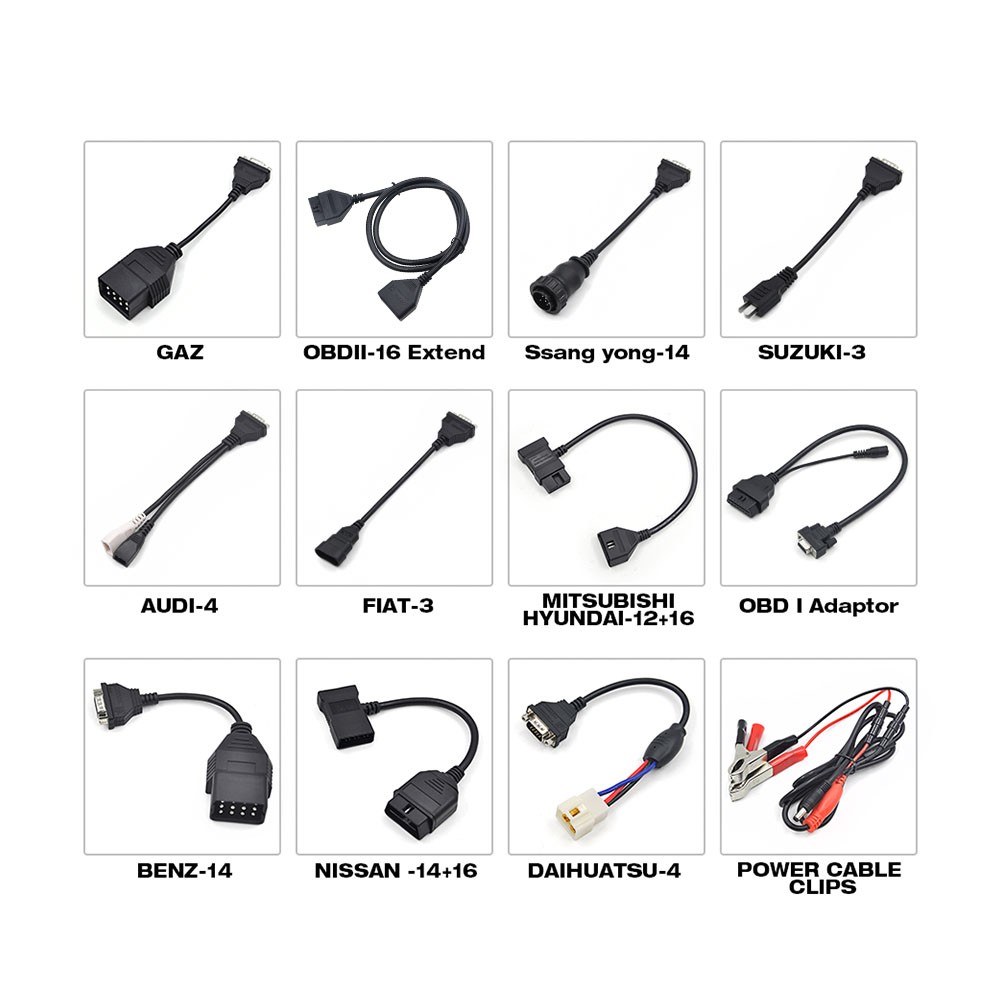
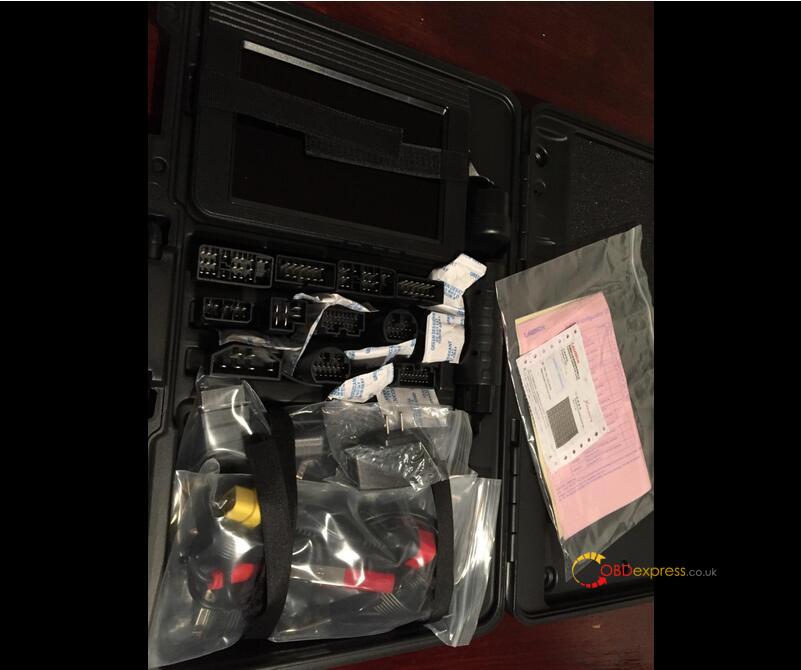
Comes with plugs to test a good variety of units off the vehicle,
Has plugs to plug in to pretty much all 12 Volt Vehicles.
It will auto search for all modules on the car using a health check so you know what is does and does not have.
Works very well on jaguar land rover / Range rover,( WILL NOT MATCH KEY ON P38 range rover)
Cons:
When you have the fault code it gives you an area of which to check, then when you hit help 99% of the time it takes you to youtube which can be very embarrassing in front of a customer, ( although making a joke about it often allows the customer to associate with you :) )
Getting in touch with the manufacturer or support.
Certain aspects of the unit could allow you to do a lot of damage to ECU’s reprogramming ( not a con if you know what you're doing but only trained staff could use parts of it)
It searches for all modules on the car eg air conditioning, door control, but it can be limited as to what it can do when it opens certain modules.,
Verdict ... am I happy with my purchase HELL YEAH, a fabulous unit and I can honestly say having it with gives me an extra little edge when going round checking cars, does 99% of service resets, has a good range of “activate and test of units on the vehicle” all in all 9.5/10 I'd give it a 10 but the program key feature is not as good as it was made out to me
Isn't as in depth as eg, fords own software or Volkswagens but, to buy each companies individual software would cost a fortune
I’m not sure why it wouldn't work but I shut it off and back on and it let me enter the codes, I have tested it on my VW polo today and indeed it works very well, I will update this in a few days, however, I would have given it 5 stars if the unit had come with more clear instructions, they are not exactly vague but it didn't say anything about if you had a problem registering.
Launch X431 V Review 01

  1. Launch X431 V is a fantastic diagnostic tool, it has handled every job I have asked it to do so far. Coverage for most manufacturers is present, don't be fooled by the cost. This tool is very capable, from programming new keys and remotes to DPF regens, Injector coding, re-writing chassis numbers etc. Everyone I show this tool to is blown away at how much it can do. I love that after you carry out a full health check, you have a clear all Dtc button, this saves so much time. Cant do this tool enough justice with the small review I am writing here. I own much more expensive scanners, but the Launch Diagun is now my first choice Go to tool. 2 years free updates come included and updates are available often. It just works and guides you through each process if you are unfamiliar with it. Launch you have a winning product I would recommend to anyone looking for a very capable diagnostic tool at a very reasonable price.I normally don't write reviews for anything, but felt compelled to share my experience of this product. Excellent.

  1. Launch X431 V BMW 7 series 730 2016 review:
Having tested other scanners to try and get proper compatibility with my car; BMW 7 series 730 2016. This ticks all the boxes. The carry case full of connectors , a Bluetooth 16 pin plug and a Lenovo base tablet. proprietary software took an hour to update and then it successfully diagnosed a difficult fault on the car - it requires a new module as an intermittent fault.
I have tried seven scan tools , 3 from 1 manufacturer (hoping more expensive is better - not the case.) before using the Launch X431 V.
If luck had been on my side, I wouldn't have purchased nearly £3000 of goods before getting the right one.
The launch is maybe to some a bit plain, but I'd sooner have a competent plain Jane, as a no good but looks good item.

Autel reviews:
  1. Both Autel MaxiPro MP808K and Launch X431 are good on euro, Autel probably a bit better in my experience. updates are expensive on Autel although but if you use it every day it's worth it.
    saying that though I currently run a Launch. most workshops I visit have Autel
  2. Review on Mercedes-Benz
Solid platform from Autel. The software overlay is very stable and fairly snappy. The only thing that can be a tad sluggish are the transitions between modules (at least when connected to a Mercedes-Benz). The MP808K comes with a separate case for the non-OBD2 adapters, which is a nice touch (the main tablet case and OBD2 interface is come in a smaller case...much easier to haul around). Autel updates the vehicle specific modules very often, and the main software has updated twice for me since I received mine almost 2 months ago.
I have several vehicles but mainly use it on a diesel MB SUV. I've been able to initiate DPF regen cycles, as well as reset adaptations when changing filters and other components. This alone is worth the price of admission.
  1. Review on Ford 6.0L diesel &
I was looking for a diagnostic scanner that would do a power balance check on my Ford 6.0L diesel. I also wanted bi-directional capability. This MaxiPro MP808K has all of the bells and whistles, including the power balance and bi-directional capability. The interface was easy to navigate and I was able to get the balance test done quickly. I confirmed that my #2 injector is going bad.
Overall I believe this scanner has the most bang for the buck. I looked at many scanners, including cheaper OBD2 interfaces that plugged into my laptop. This scanner does exactly what I needed it to. It will also be useful on other vehicles that I have and may acquire in the future. For example, it will control the electronic parking brake on my VW Passat for pad changes. Very well built and the overall packaging and execution are top notch. Support is also readily available through the unit, phone, and internet/email. Glad I picked this one!

oem software reviews:
I was your situation before, and I decided to go with OEM vci route because think about you have to pay for software annually if you buy those aftermarket tool (some of the update is like close to $900 ANNUALLY in the case of top tier autel scanner). For OEM, you can get updated software from this forum FOR free. Top of that, OEM tool can read all of the PIDs and can do coding etc. For some of aftermarket tool, you cannot read all of PIDs although depends on brand. If you do euro car a lot, you should get oem vci or clone. Clone vci for those euro car is not that expensive. For instance, genuine vas5054a is like $300, genuine BMW vci is like $500, and MB passthru (MB vci is exceptionally expensive so recommend passthru route).
If you get passthru, you can use a lot of oem software like HDS, techstream, ODIS, SSM4 etc with much less limitation comparing with aftermarket scanner. OEM VCI is best, but costs a lot if you want to get all of OEM vci. If I am you, I will get base passthru like cardaq at first. Then, if buy specific OEM vci if passthru cannot handle oem software.
If you are really on aftermarket tool, I recommend Launch. I had autel before. To work with Peugeot, Renault, Porsche, Citroen, both can work.
Autel Maxipro Mp808k Review


www.obdexpress.co.uk


Source:http://blog.obdexpress.co.uk/2020/06/15/diagnose-european-cars-autel-maxipro-mp808k-or-launch-x431-v/

2019年5月26日星期日

Nissan Xtrail EDC16CP33 injectors with Launch X431: Done

Problem description: Read flash by obd2, injectors coding gone. I’d tried use option in galletto coding can but no result. I couldn’t write codes. Is chance write codes in eeprom manual? in .rar is eeprom without codes and file with codes. THANKS
8H8O3SG- 1 FROM GEARBOX
8IHK5WG-2
71HV3WE-3
8SHT8IF-4

Info: it is keyless


What I tried to do:
I tried write file with my codes but i couldn’t write it… i have two errors first is bad coded injectors and chain immu. this happened after write flash by obd. coding injector was gone launch x431 didn’t code.

Same experience for sharing:
Had these problems with same ECU EDC16CP33, just on Qashqai (with keyless system…). You won’t be able to adapt injectors when you have problems with IMMO – “chain immu”, first adapt keys/ecu with launch. When you choose Nissan, when first screen pop’s up after bt is connected you should go to special functions or coding, and adapt the ecu, after immo is sorted and car starts, then you can write injector codes with diagnostic equipment Had this problem, sorted with Launch X431 without problems.

Finally Solved:
With hez editor i edit my corrupted eeprom some things add some delete… atlast was one error bad coding injectors with launch write codes ( first not from gearbox like in Renault ) 1 is from time belt .. and car start without problem.

Here is my work with all files and how i fix my original eeprom without virgin. I hope it will help for somebody.
Password:

Question:
can do virgin? and program the unit again, while recovering the loss
Once I wrote down the injectors in flash. restored with ecm opening, while there was fullflash bottom ecm
Answer: I fix my corrupt eeprom with HEX CMP very easy. but i spend few hours.. atlast is 4kb data memory. my work with files is here.

Good luck.

Thanks to @3inferno3 (DK Veteran).


Related Posts:

http://blog.obd2eshop.com/nissan-xtrail-edc16cp33-injectors-with-launch-x431/

2018年6月11日星期一

How to Update Launch X431 V &X431 V+plus ?

Here let’s check how to update the x 431 Vx-431 V+ diagnostic scanner.
1) Click red box marked “1” above. Press on X431 V+ icon and push it up to the trash bin
2) Click “Settings” >> select Manage Apps>> X431 V+ >>Uninstall
3) Browse Launch website www.dbscar.com.
Click Category Product, select Launch V or V+.
Click “Download for Android” below X431 V image to start download client.
Downloading, please wait patiently, file about 19MB.
Double click X431_V.apk
Click “Installation Package” after complete download.
Click “Install”
Click “OK” when the system prompts to update
Click “Cancel”, because I haven’t login.
4) Login with your CC number and password
Read Claim, click “Read”
Select Bluetooth Serial Number
5)Click “Download”, this is old software version.
Select the vehicles you want to download. Note: the software downloaded from official site is the newest version
Click “following”
Click “Download”
After complete download, no vehicle software found, since its old version, exit the BDScar site, and login again to update.
7) Login www.dbscar.com, open X431 V, it prompts to update, click OK
Do not click Cancel, let it download program automatically, it will take less than 20minutes.
Click “Installation Package” after complete download.
Click “OK” to replace old application and the former information will be saved
Click “Install”
After complete download, the car models will display
Note: better not click “One Key Update” to update
Click “Association” to pair Bluetooth

 Src:
http://blog.obdexpress.co.uk/2018/06/12/how-to-update-launch-x431-v-x431-vplus/

2018年5月15日星期二

Launch X431 Pro Mini is the mini version of X431 Pro?

What is Launch X431 Pro Mini and what is Launch X431 Pro? Any difference?

Look at the chart here. This is tech support from obdexpress.co.uk


Product Launch X431 Pro MiniLaunch X431 Pro
Image 
Launch X431 Pro Mini
 
Launch X431 Pro
Operating systemAndroid 5.1Android
ProcessorQuad core 1.3 GHzDual core 1GHz
Memory2GB512MB
Storage16GB2GB
LCD screen6.9 inch with a resolution of 1280 x 720 pixels7.0 inch with resolution: 1024X600
CameraFront-facing 2MP camera +
rear-facing 5MP camera
2 mega rear and 0.3 mega front
Battery3.7V/3000mh rechargeable polymer lithium battery3000mh, rechargeable polymer lithium battery
ConnectivityWi-Fi: WLAN 802.11b/g/n
Bluetooth: Bluetooth 4.1
Wi-Fi: supported
Bluetooth: supported
Working temperature0℃ ~ 45℃-10℃ ~ 55℃
Storage temperature-10℃ ~ 50℃-20℃ ~ 70℃


Product  Launch X431 Pro Mini Launch X431 Pro
Automotive Diagnostics
Remote Diagnosis
Recording and playback
Special functions
Waveform Display
VIN Identification
Feedback

Special functions incl.
Oil Reset Service
Steering Angle Calibration
Electronic Parking Brake Reset
Battery Register / Battery Maintenance
ABS Bleeding
Electronic Throttle Position Reset / Learn
Diesel Particulate Filter (DPF) Regeneration
Tire Pressure Monitor System Reset
Gear Learning
Immobilizer Matching
Fuel Injector Coding

Launch X431 Car List:
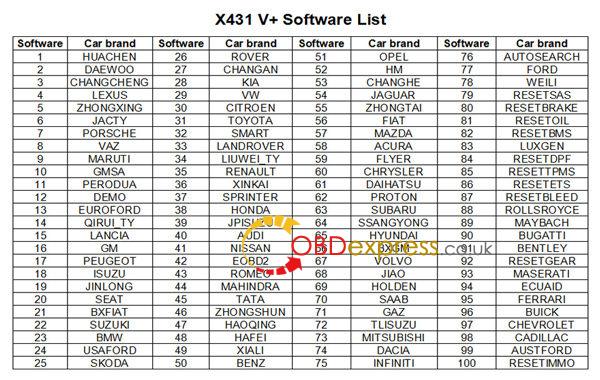
Acura, Changan, Daweoo, Gaz, Hafei, Huachen, Jiao, Lexus, Xiali, Xinkai, Benz, Fiat, Holden, Maruti, Opel, Peugeot, Saab, Ssangyong, Tata, Changhe, Flyer, GMSA, Infiniti, Mahindra, Perodua, Proton, Qirui, Tlisuzu, Zhongshun, EOBD2, Euroford, GM, Jaguar, Renault, Smart, Sprinter, USAFord, VAZ, VW, Changcheng, Dacia, Ford, HaoQing, Jinlong, Liuwei, Rover, ZhongTai, ZhongXing, Bxfiat, HM, Isuzu, Jacty, JPIsuzu, Mazda, Seat, Skoda, Suzuki, BMW, Daihatsu, Mitsubishi, Porsche, Toyota, Volvo, Audi, Chrysler, Citroen, Hyundai, Kia, Lancia, Landrover, Nissan, Romeo and Subaru.

In summary, Launch X431 PRO3 win in hardware (helps better smoothness of diagnostics/programming, running speed, visual enjoyment). It share the same functions and features as Launch X431 PRO tho.


http://blog.obdexpress.co.uk/2018/05/15/launch-x431-pro-mini-vs-launch-x431-pro/

2018年5月11日星期五

2018 Launch X431 V+ - Anything better than before?


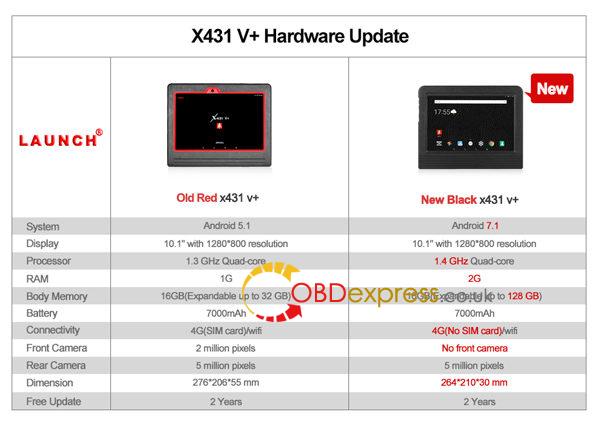
2018 new Launch X431 V+ vs. 2017 old Launch X431 V+:

2018-vs-2017-launch-x431-v-plus
Launch X431 2018 version is improved a lot in hardware, better for use for a long time and running speed.

2018 Launch X431 V+ price:
http://www.obdexpress.co.uk/wholesale/launch-x431-v-plus-wifi-bluetooth-full-system-scanner.html
Launch X431 V+ update:
One click update:
No need to download software to memory card anymore;
Click to update sw directly through X431 V+.

Launch X431 V+ software download:
Download the Launch software without IP limitation

Launch X431 V+ car list:
2018-launch-x431-v-pus-car-list
X431 V+ supports more than 68 car brands and 220 car models from America, Europe, Asia, includes the local vehicles brands in every country, such as Indian tata, Australian Holdon, ford, and so on. If you need the local vehicles, pls contact us when you receive the product

Launch X431 V+ diagnostic: confirmed!
Able to diagnose the electronic control system of prevailing vehicles covering Asian, European, American and Chinese models

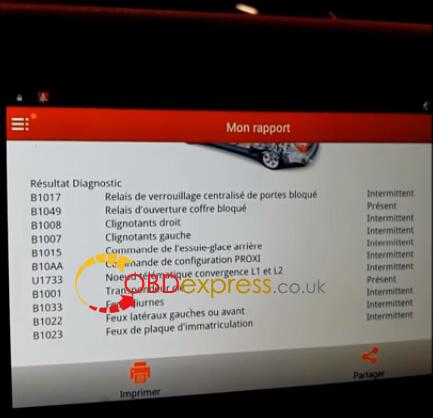
Diagnosis functions include: Read DTCs, Clear DTCs, Read datastream, Special functions etc;
2018-launch-x431-v-diagnostic-1 2018-launch-x431-v-diagnostic-2
Launch X431 V+ special functions:
Service light resets
Electronic parking brake reset
injector programming
Full global DTC testing of vehicle modules
Diesel particulate filters regen/replacement
Key/immobiliser coding
VIN recognition, auto-search
Live data recording and multiple graphing

Launch X431 V+ coding/programming: confirmed!

Launch X431 V+ key programming: confirmed!
2018-launch-x431-v-key-add-1


Src:
http://blog.obdexpress.co.uk/2018/05/11/2018-launch-x431-v-vs-2017-launch-x431-v/

2017年3月18日星期六

Launch X431 V 8inch : Australian, Indian, Malaysian cars OK

Launch X431 V 8 inch OBD scan tool, what cars can work and cannot work? Ok with Indian, Australian, Malaysian vehicles?
Here, free download Launch X431 V 8 inch tablet car list.
The new Launch X431 V has the fullest vehicle coverage, including 69 car brands about 220 car models from Europe, USA, Australia and Asia. So, the device has what it takes to be used globally.

Q: Can Launch X431 V 8 inch support Indian, Australian, Malaysian cars?
A: Yes. It works perfect with vehicles made in India, Australia, Malaysia.

Q: Any good for European and American cars?
A: Launch X431 V 2017 version must be the best solution of European and American vehicles diagnostics for repairing work in a garage, because it covers most European and American car models.

Q: Any new models added in the version 2017 Launch X431 V?
A: Yes. It adds LEXUS, BENTLEY, EURO FORD, LANCIA, HM(HM), MAYBACH, BUGATTI, ROMEO, ACURA, INFINITI, DACIA.

Here, free download Launch X431 V 8 inch car list.
 Launch X431 V 8 inch car list(1)

 Launch X431 V 8 inch car list(2)

 Launch X431 V 8 inch car list(3)

 Launch X431 V 8 inch car list(4)

 Launch X431 V 8 inch car list(5)

 Launch X431 V 8 inch car list(6)

 Launch X431 V 8 inch car list(7)

 Launch X431 V 8 inch car list(8)

 Launch X431 V 8 inch car list(9)

 Launch X431 V 8 inch car list(10)

2017年2月23日星期四

2017 Launch X431 V WINS! Old X431 Diagun III & X431 IV fail

2017 Launch X431 V price WINS at obd2express.co.uk
2017 Launch X431 V (x431 pro) WINS in firmware update!
So, it defeated and successfully replaced the olf Launch X431 Diagun III and X431 IV scan tools. Details of the new launch x431 scan tool.
 Launch X431 V

Launch x431 v price:
It’s the best price online

How much do you know Launch x431 v?
Launch X431 V is a new diagnostic tool released by Launch tech. It’s composed of an X-431 V pad computer, a protection sleeve, a DBScar diagnostic connector and many OBD1 to OBD2 connectors. Communicating with your car by DBSCAR connect via Bluetooth, it reads DTC and does full system diagnosis on the car through the X431 Pro Pad for full car models. So, it successfully replace X431 Diagun III or X431 IV. Meanwhile, taking advantage of mobile internet, it integrates more application and service, such as creating maintenance data base and case library, providing instant maintenance information, establishing public and private maintenance social circle etc. As a result, it builds a broad vehicle diagnostic community, which helps you to share vehicle maintenance knowledge online, exchange vehicle maintenance experience online and provide vehicle maintenance related service support online. This will be another revolution raised by Launch in the vehicle diagnosis industry.

What’s updated/improved in 2017 Launch x431 v?
Compared it with old x431 scan tools, it’s easy to find that 2017 launch x431 v has been improved in firmware only. In the aspect of function, it works as the old version.
What’s updated/improved in 2017 Launch x431 v?


New Launch X431 V (X431 Pro) Feature
1 tablet with high configuration;
2 multi-point capacitive touch screen;
3 Bluetooth diagnostics;
4 online service
5 light and small;
6 multitasking on a screen;
7 WIFI support;
8 open Android platform;
9 many additional functions.

Launch x431 V Language Available:
English, German, Japanese, Russian, French,  Spanish, Korea , Traditional Chinese

2017 Launch X431 V Function:

1. Full Diagnose + Special Function:

X431 V can diagnose the electronic control system of prevailing vehicle models covering Asian, European, American and China. Full range car models and full car system diagnose make it a professional automotive diagnostic tool.

- OBDII Diagnosis: Read DTCs, Clear DTCs, Read datastream, Special functions etc;

- Special function: BMW idle study, BMW injection rate adjustment, BMW battery replacement, Nissan matching key.


2. Connecting by Bluetooth
Bluetooth Distance: 10M (Without Obstacle)

X431 V communication via bluetooth, very easy to use.  X431 V Pad computer specially designed for Android platform with clear and user-friendly interface. X431 V Pad computer equipped with an exclusive X-431 V protection sleeve to prevent it from being damaged;

3. Browser:
Built-in Wi-Fi module makes surfing on the internet freely;

4.Settings:
To configure your personalized X-431 V through it;

5. Search:
Enables you to locate your target quickly and conveniently;

6. Email:
Allows you to send and receive email. External POP3 or IMAP email account for some common Web email service provider can be added;

7.File Manager:
You can manage the files or downloaded files stored in SD card efficiently;

8. Other Additional Functions:
Alarm, calendar and calculator etc.

9. Applications:
Other android based applications can be customized to install or uninstall.

Launch x431 v Car List:
For Acura, for Changan, for Daweoo, for Gaz, for Hafei, for Huachen, for Jiao, for Lexus, for Xiali, for Xinkai, for Bez,for Fiat, for Holden, for Maruti, for Opel, for Peugeot, for Saab, for Ssangyong, for Tata, for Changhe, for Flyer, for GMSA, for Infiniti, for Mahindra, for Perodua, for Proton, for Qirui, for Tlisuzu, for Zhongshun, EOBD2, for Euroford, for G-M, for Jagar, for Renault, for Smart, for Sprinter, for USA for Ford, for VAZ, for VW, for Changcheng, for Dacia, for Ford, for HaoQing, for Jinlong, for Liuwei, for Rover, for ZhongTai, for ZhongXing, for HM, for Isuzu, for Jacty, for JPIsuzu, for Mazda, for Seat, for Skoda, for Suzuki, for BW, for Daihatsu, for Mitsubishi, for Porsch, for Toyota, for Volvo, for Adi, for Chrysler, for Citroen, for Hyundai, for Kia, for Lancia,for Landrover,for Nissan, for Romeo and for Sbaru.

Here is the communication diagram for reference.
Launch x431 pro how to use

Launch x431 pro how to use


2017 new Launch X431 V (X431 Pro) Parameter:
Operating System: Android
CPU: Quard Core 1.3GHz
Battery: 4290mh, rechargeable polymer lithium battery
Standby time: it is subject to the using environment. Generally it can keep working for 4 hours.
Extension memory card: 32G Micro SD(TF) card supported
Memory: 1MB
Storage capacity: 2GB
LCD: 7.0 inch
LCD resolution: 1280X800
Touch screen: 5 points capacitive touch screen
Cameras: 2 mega rear and 5 mega front
Wi-Fi: supported
Bluetooth: supported
Working temperature: -10 ~ 55 (14°F to 131°F)
Storage temperature: -20 ~ 70 (-4°F to 158°F)

x431 V DBSCAR Connector Parameter:
Working voltage: 9 ~15V
Average working current: about 35mA
Standby current: about 25mA
Working temperature: -20 to 55 (-4°F to 131°F)
Storage temperature: -30 to 70 (-22°F to 158°F)
Storage humidity: <80%
Working humidity: <60%
Net weight: about 26g

Lauch x431 v Packing List:
X-431 v pad computer
Password envelope
X-431 v protection sleeve
DBScar diagnostic connector
OBD II extension cable
Cigarette lighter cable
Power adaptor
USB data cable
Non-16pin connector

Launch X431 V 8inch Tablet Full System Diagnostic Tool Support Wifi/Bluetooth

Launch X431 V 8inch Tablet Full System Diagnostic Tool Support Wifi/Bluetooth

Launch X431 V 8inch Tablet Full System Diagnostic Tool Support Wifi/Bluetooth

Launch X431 V 8inch Tablet Full System Diagnostic Tool Support Wifi/Bluetooth

Launch X431 V 8inch Tablet Full System Diagnostic Tool Support Wifi/Bluetooth

Launch X431 V 8inch Tablet Full System Diagnostic Tool Support Wifi/Bluetooth

Launch X431 V 8inch Tablet Full System Diagnostic Tool Support Wifi/Bluetooth

Launch X431 V 8inch Tablet Full System Diagnostic Tool Support Wifi/Bluetooth

Launch X431 V 8inch Tablet Full System Diagnostic Tool Support Wifi/Bluetooth

Launch X431 V 8inch Tablet Full System Diagnostic Tool Support Wifi/Bluetooth

Launch X431 V 8inch Tablet Full System Diagnostic Tool Support Wifi/Bluetooth

Launch X431 V 8inch Tablet Full System Diagnostic Tool Support Wifi/Bluetooth

Launch X431 V 8inch Tablet Full System Diagnostic Tool Support Wifi/Bluetooth