2020年9月4日星期五

Launch X431 do ABS Bleed for BMW 5 Series 2011


2011 BMW F Chassis 5 Series F10 F11 F18 2011 ABS Brake Exhaust Bleeding using Launch X431 V+ (PRO3) / X431 V (Pro).


Select the newest BMW version.

Launch X431 2011 Bmw F Chassis Abs Bleeding 01


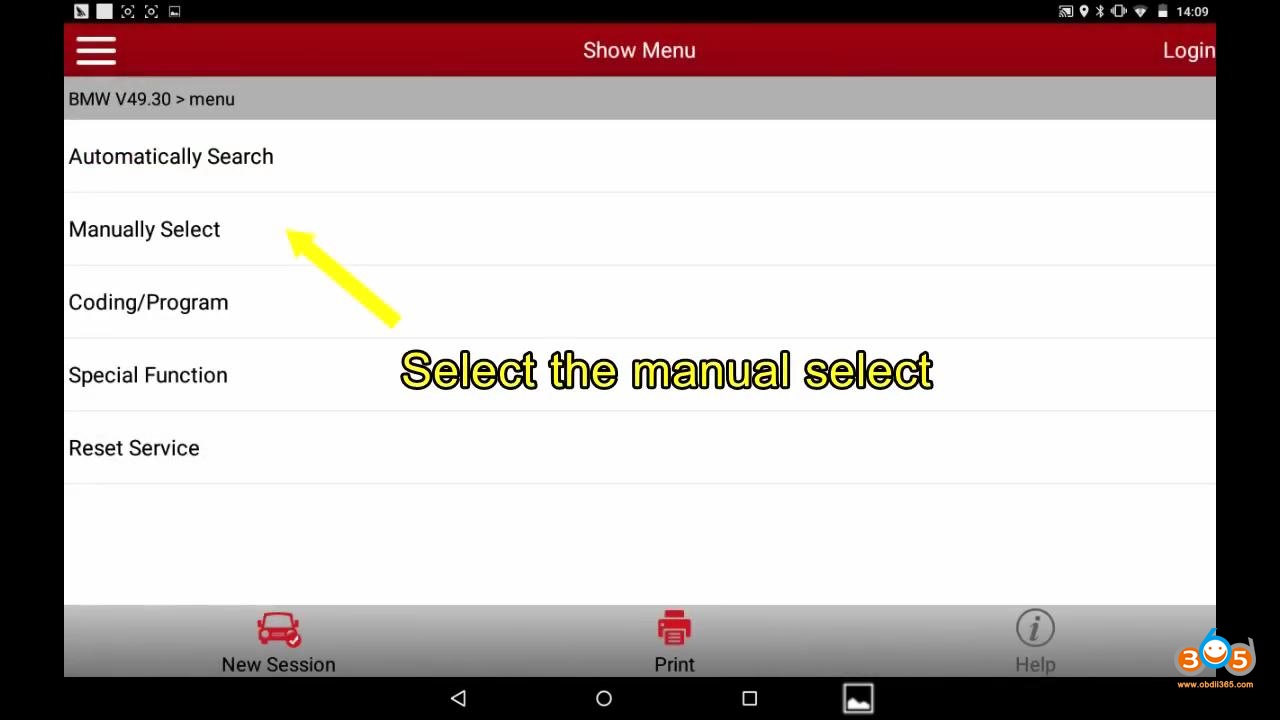
Select the manual select.

Launch X431 2011 Bmw F Chassis Abs Bleeding 02


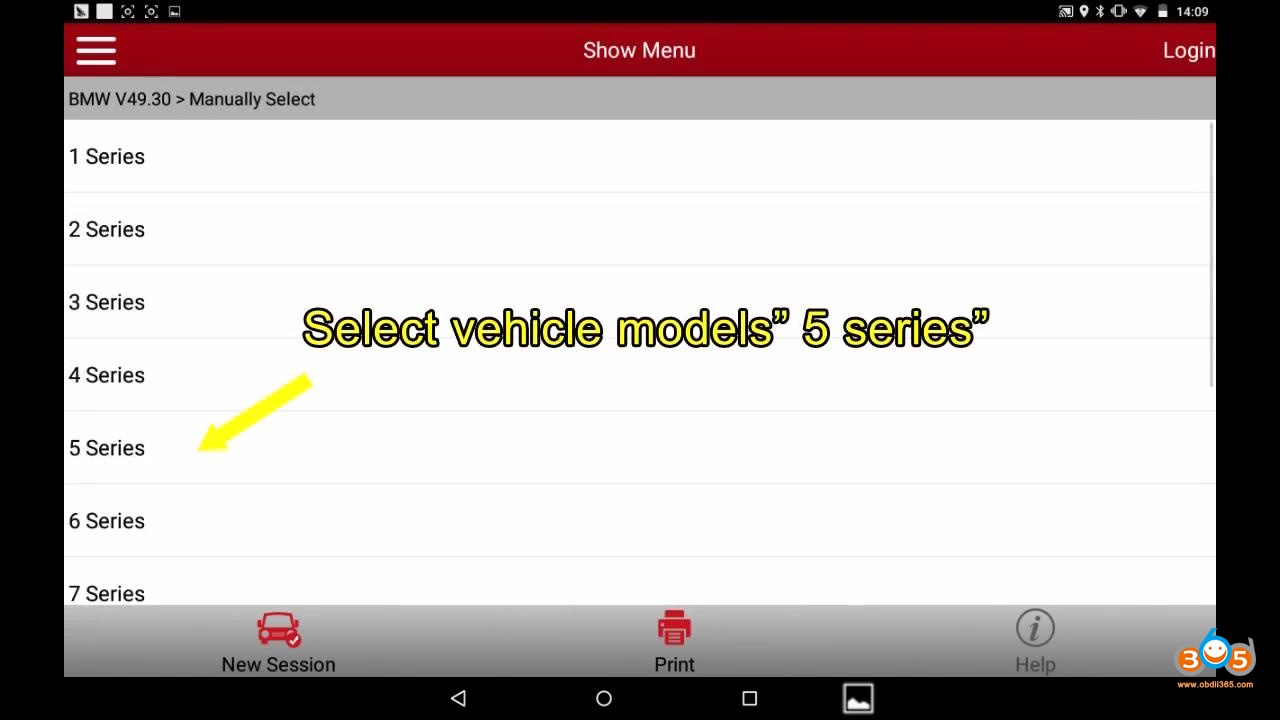
Select vehicle models “5 series”.

Launch X431 2011 Bmw F Chassis Abs Bleeding 03


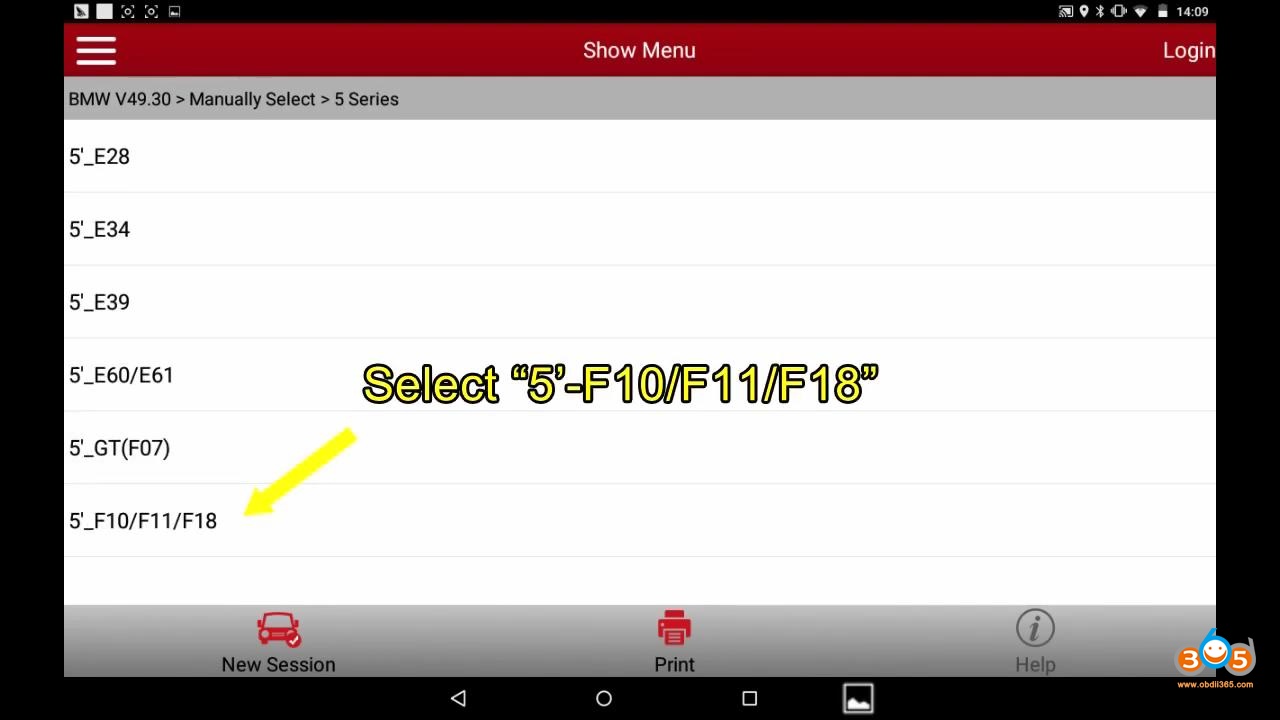
Select “5’_F10/F11/F18”.

Launch X431 2011 Bmw F Chassis Abs Bleeding 04


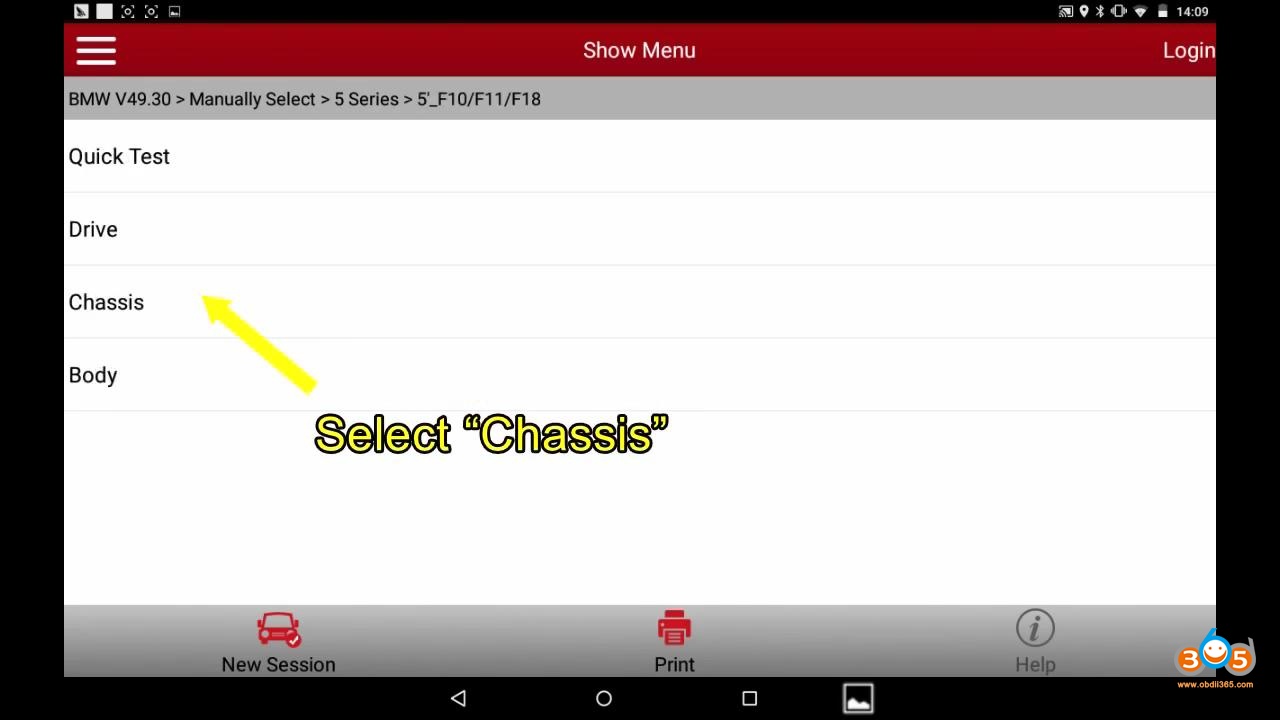
Select “Chassis”.

Launch X431 2011 Bmw F Chassis Abs Bleeding 05


Select “ABS (Anti-lock Braking System -DSC)”.
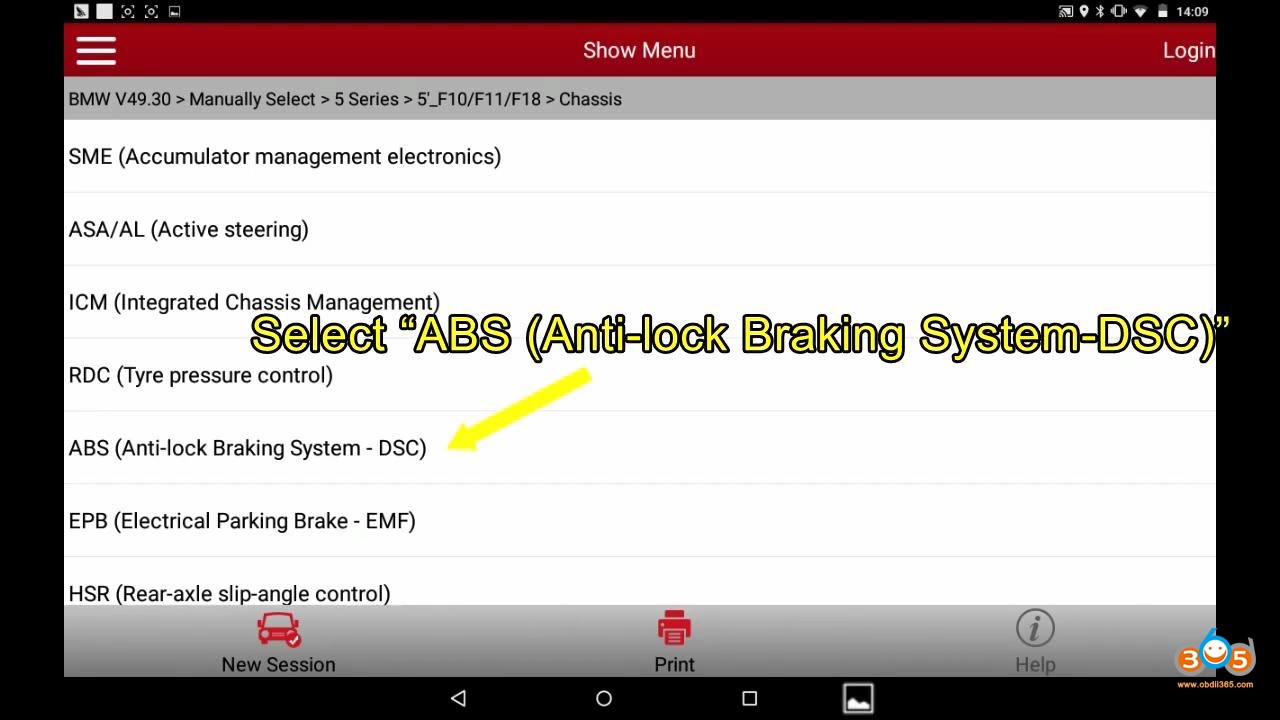
Launch X431 2011 Bmw F Chassis Abs Bleeding 06


Pay more attention to ECU Identify, select “OK”.
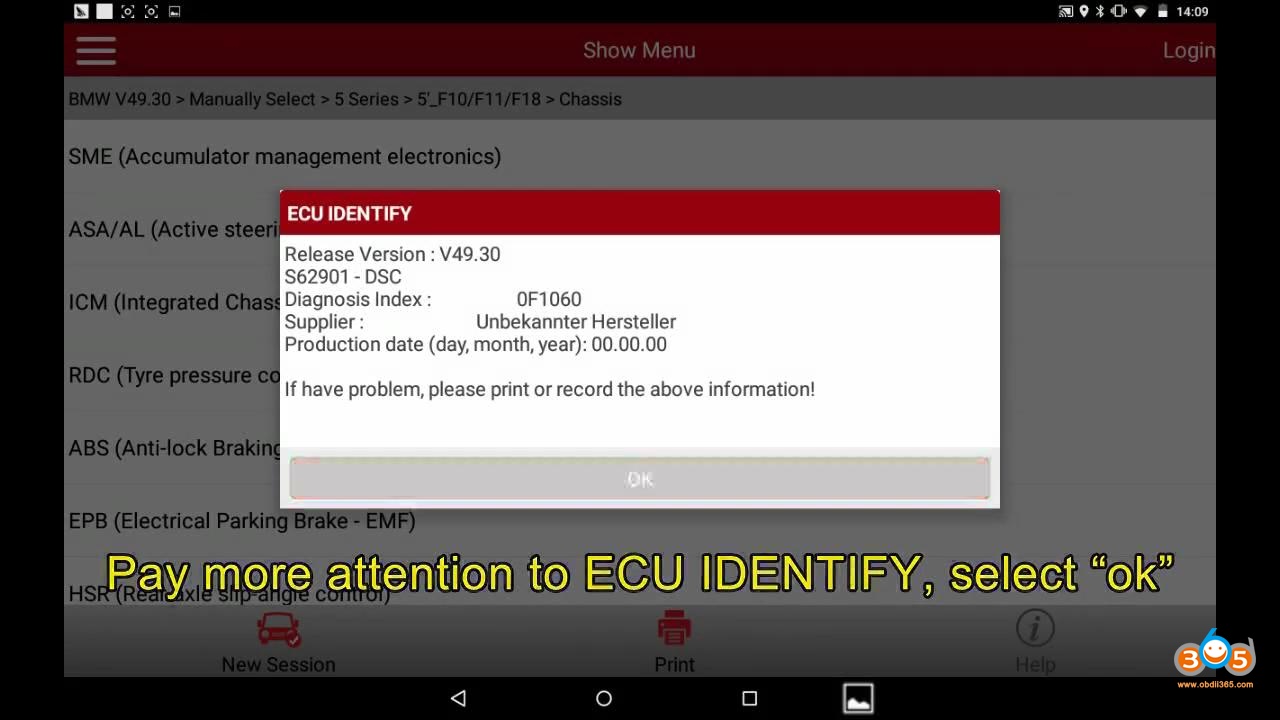
Launch X431 2011 Bmw F Chassis Abs Bleeding 07


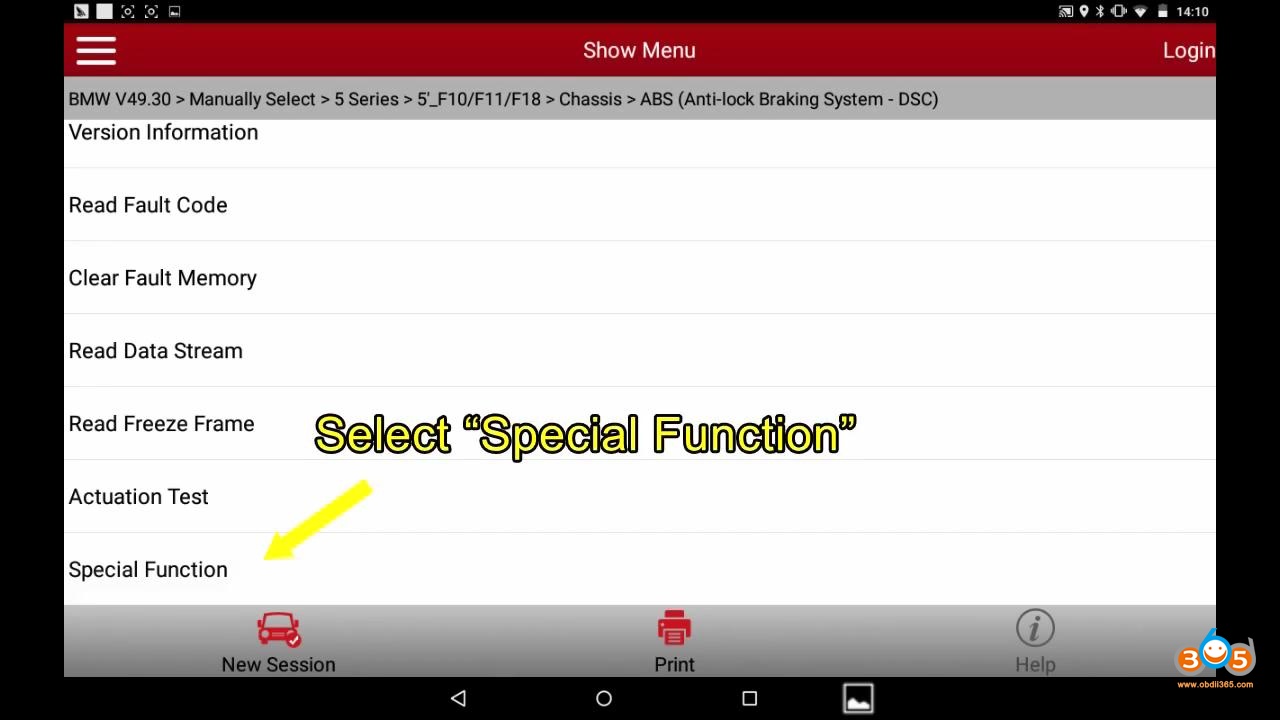
Select “Special Function”.

Launch X431 2011 Bmw F Chassis Abs Bleeding 08


Select “Brake Bleeding procedure”.

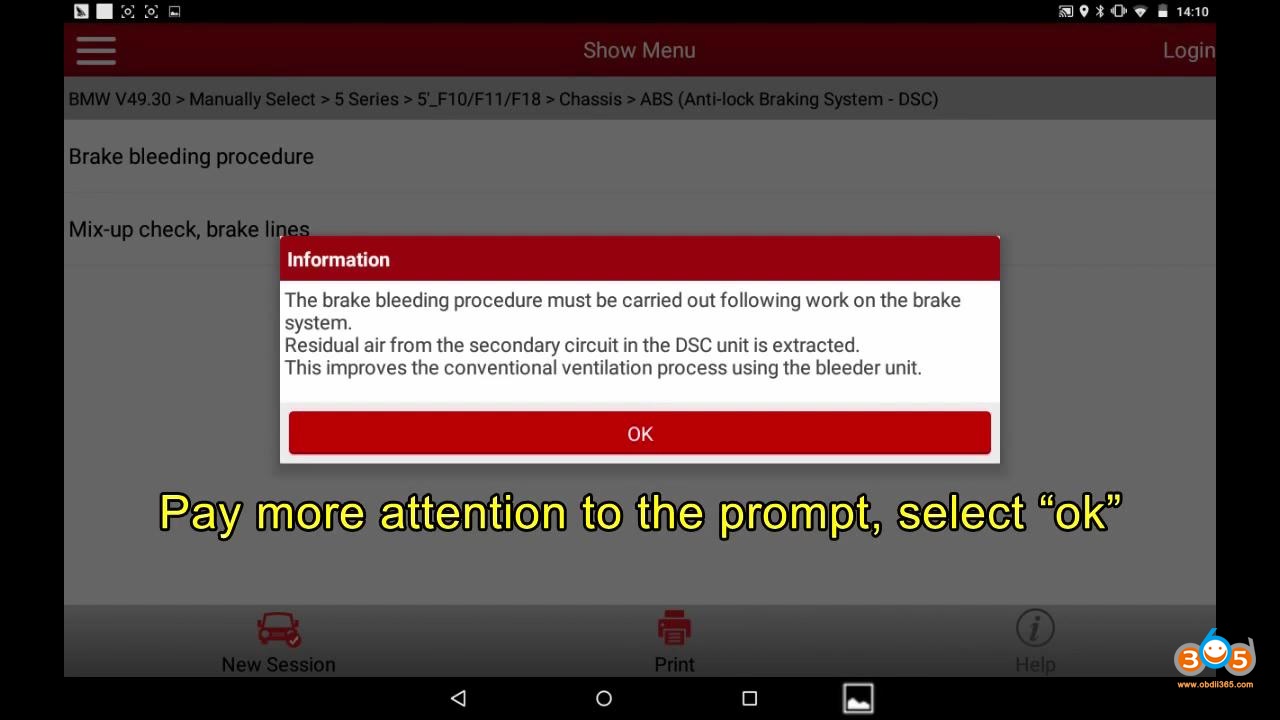
Read the information to follow.

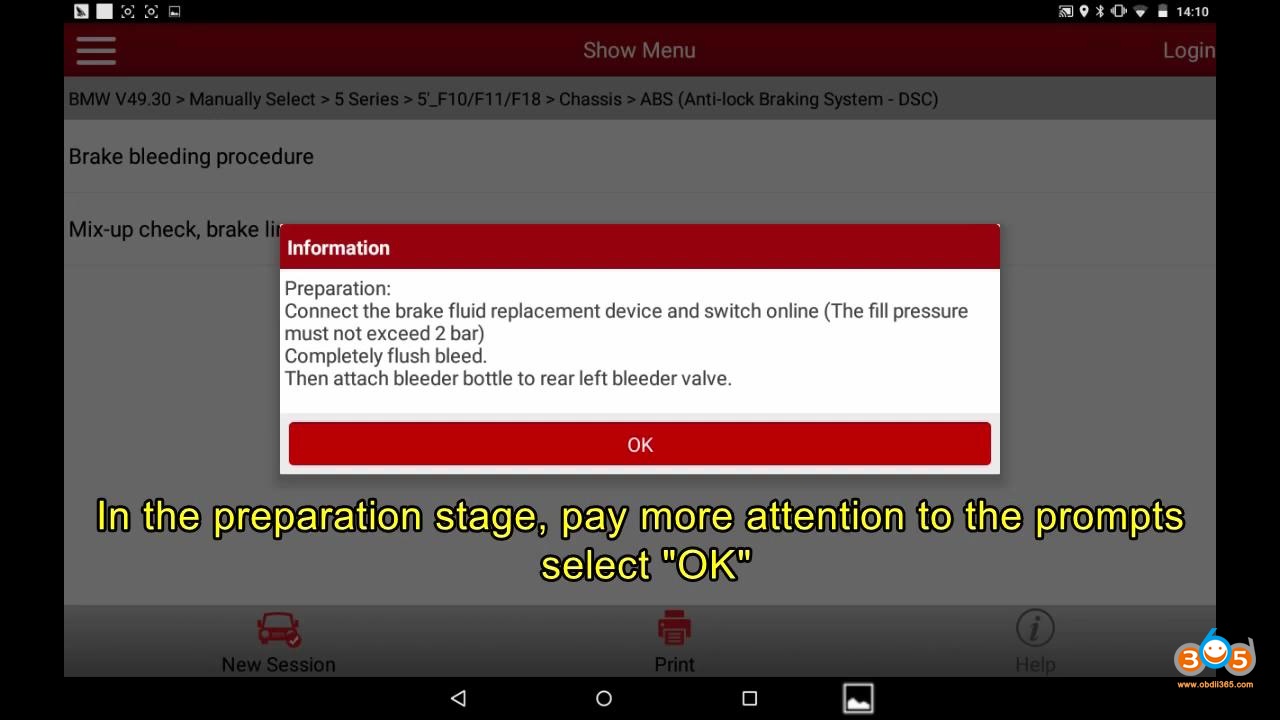
Read the preparation.
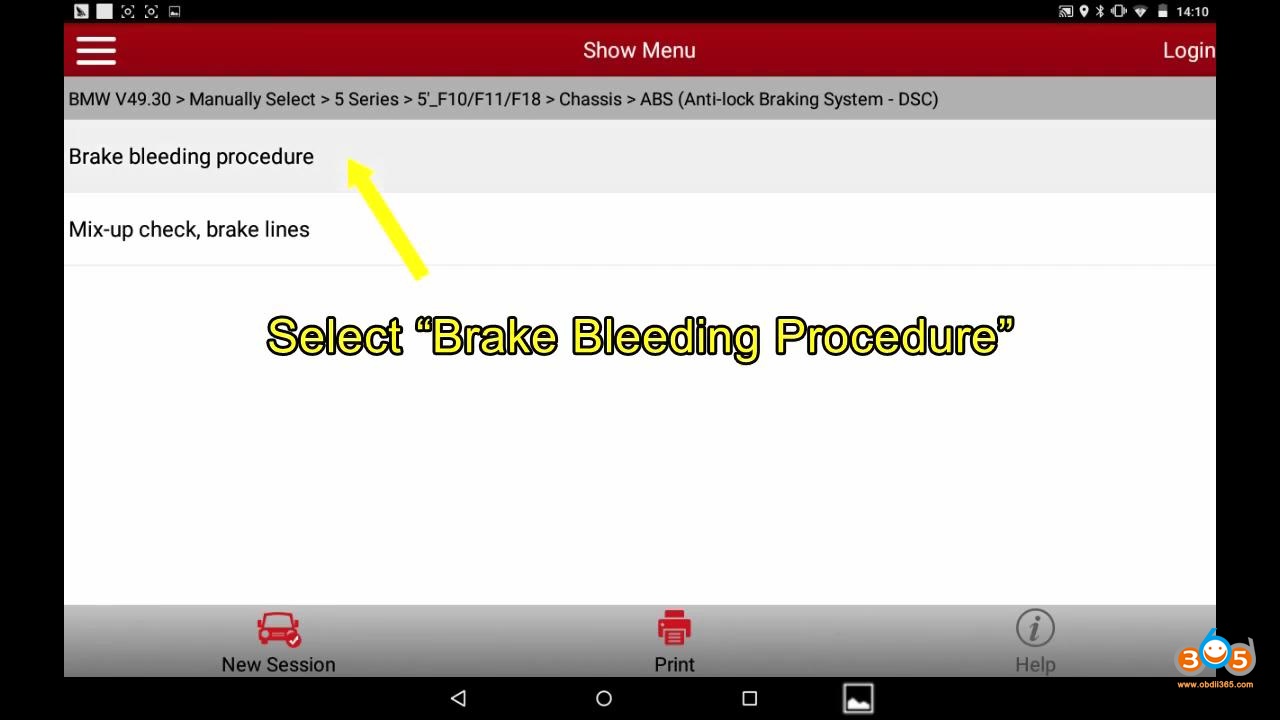
Launch X431 2011 Bmw F Chassis Abs Bleeding 09 Launch X431 2011 Bmw F Chassis Abs Bleeding 10 Launch X431 2011 Bmw F Chassis Abs Bleeding 11


Open bleeder valve at rear left wheel.
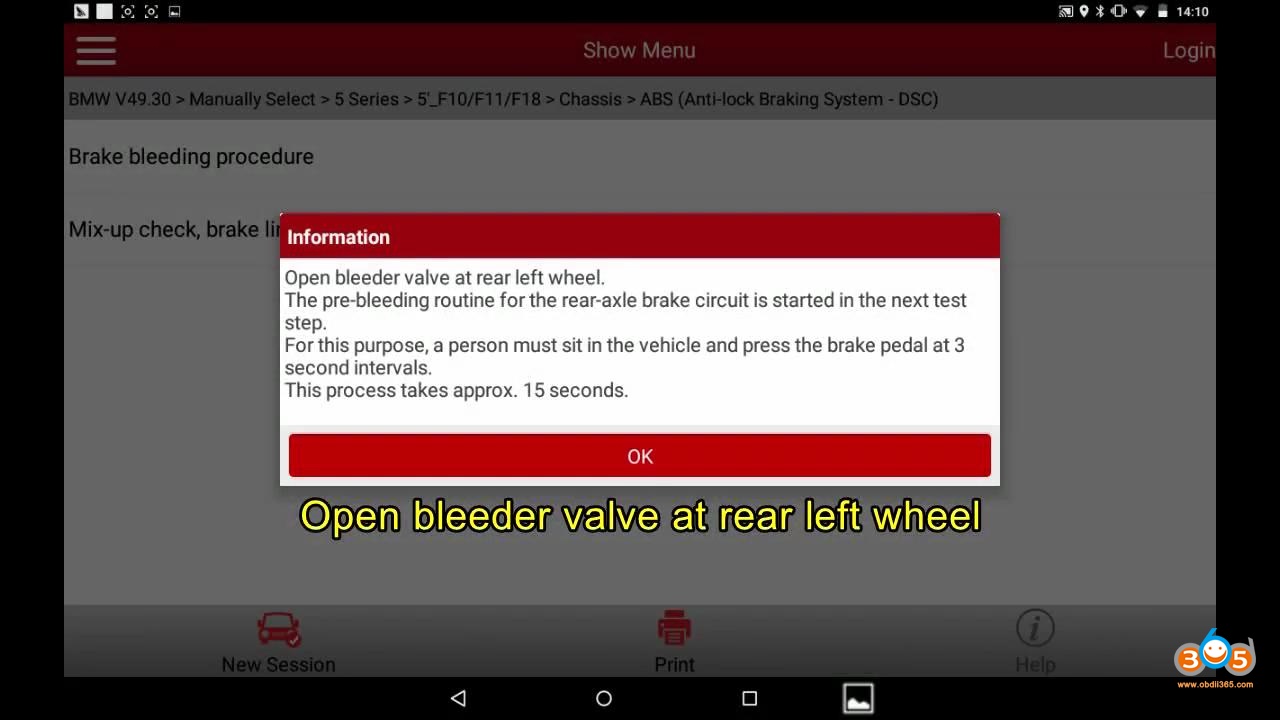
Launch X431 2011 Bmw F Chassis Abs Bleeding 12


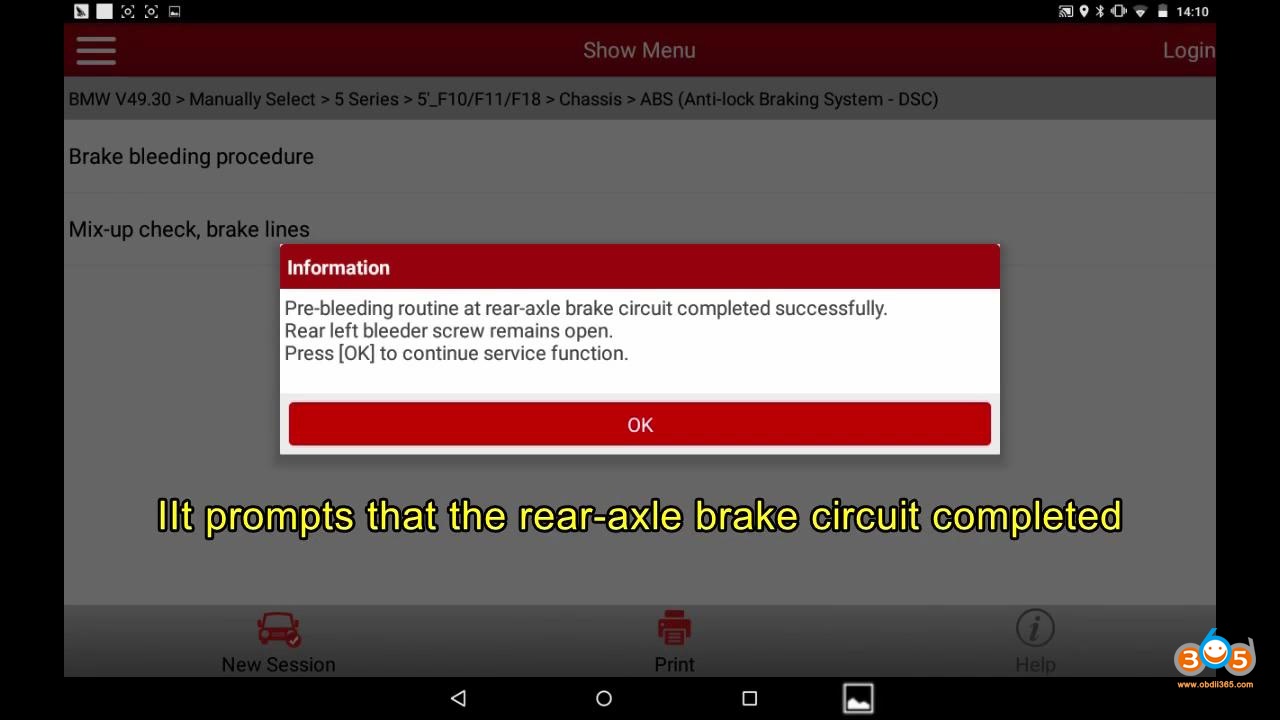
Pre-bleeding routine for the rear-axle brake circuit.

It prompts that the rear-axle brake circuit completed.
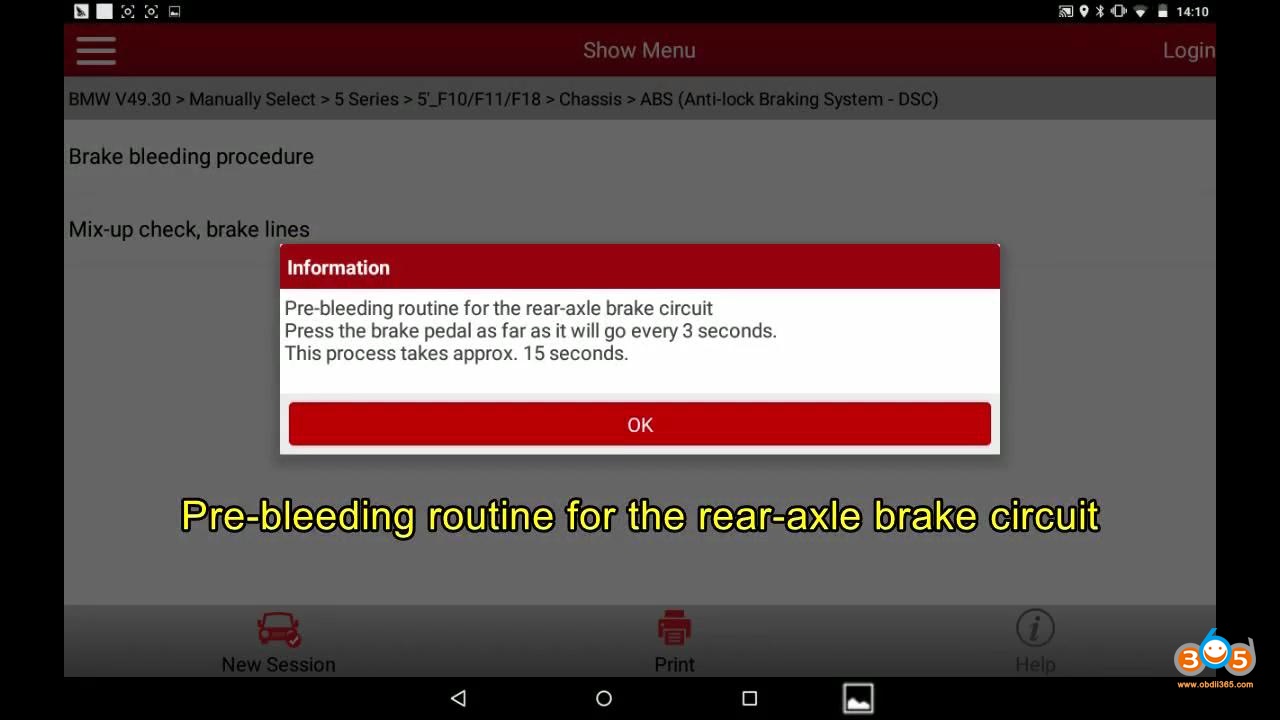
Launch X431 2011 Bmw F Chassis Abs Bleeding 13 Launch X431 2011 Bmw F Chassis Abs Bleeding 14


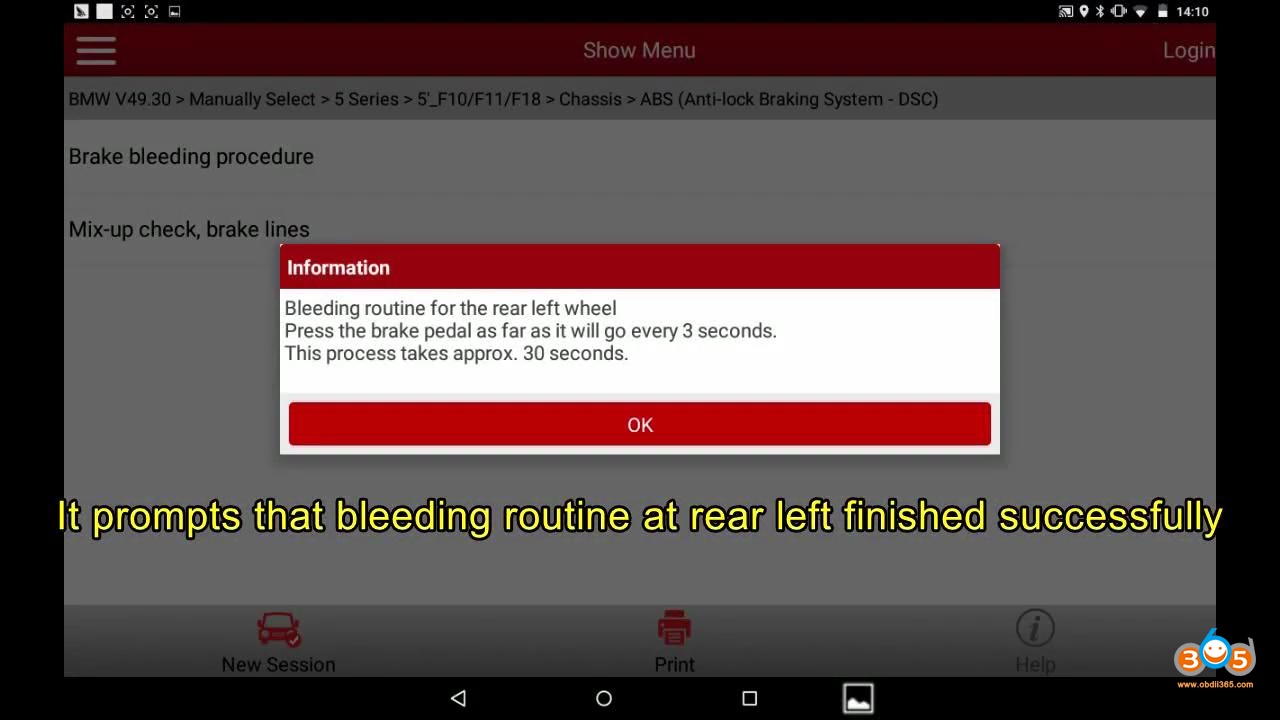
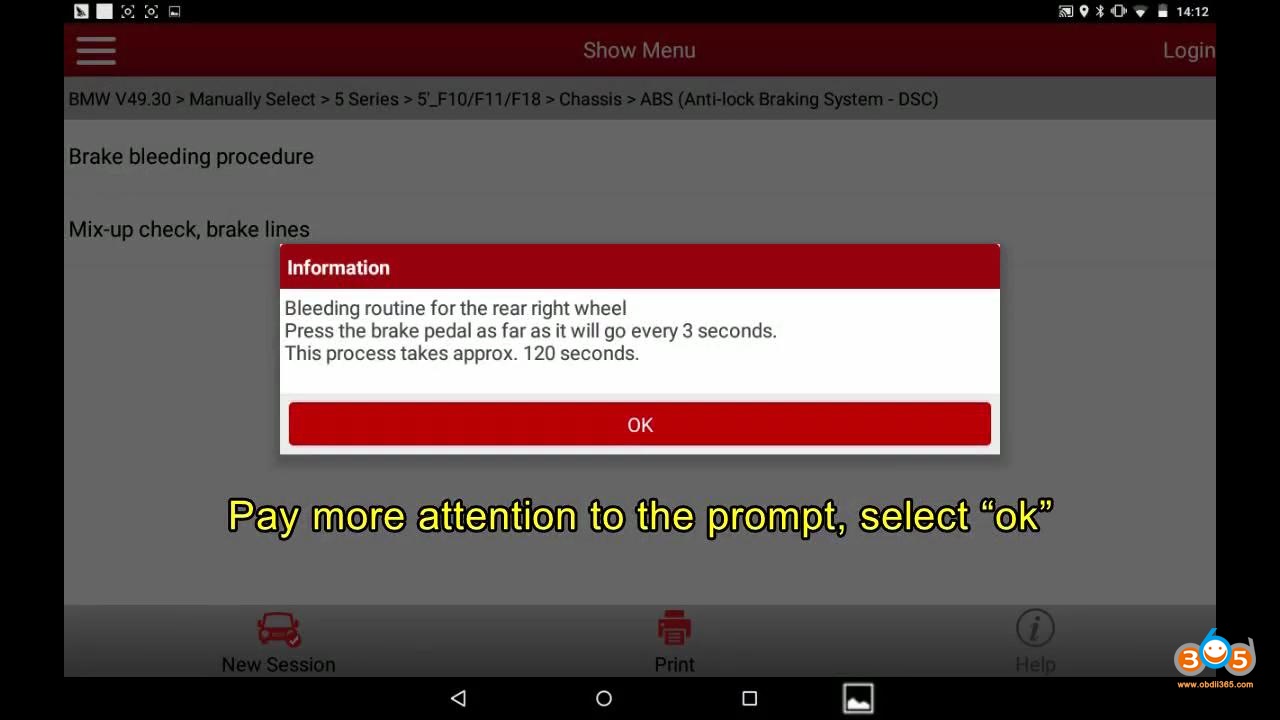
Bleeding routine for the rear left wheel.

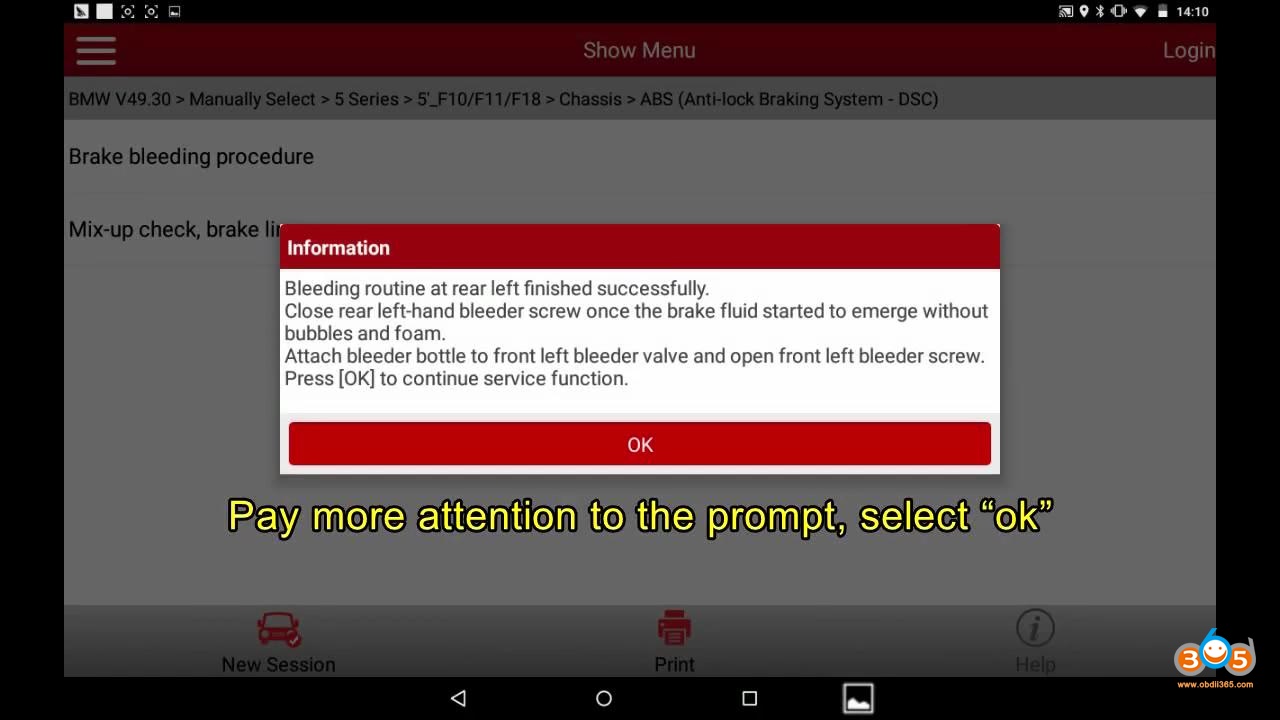
Bleeding routine at rear left finished successfully.

Read prompt: Close rear left-hand bleeder screw once the brake fluid started to emerge without bubbles and foam.

Attach bleeder bottle to front left bleeder valve and open front left bleeder screw.

Launch X431 2011 Bmw F Chassis Abs Bleeding 15 Launch X431 2011 Bmw F Chassis Abs Bleeding 16 Launch X431 2011 Bmw F Chassis Abs Bleeding 17


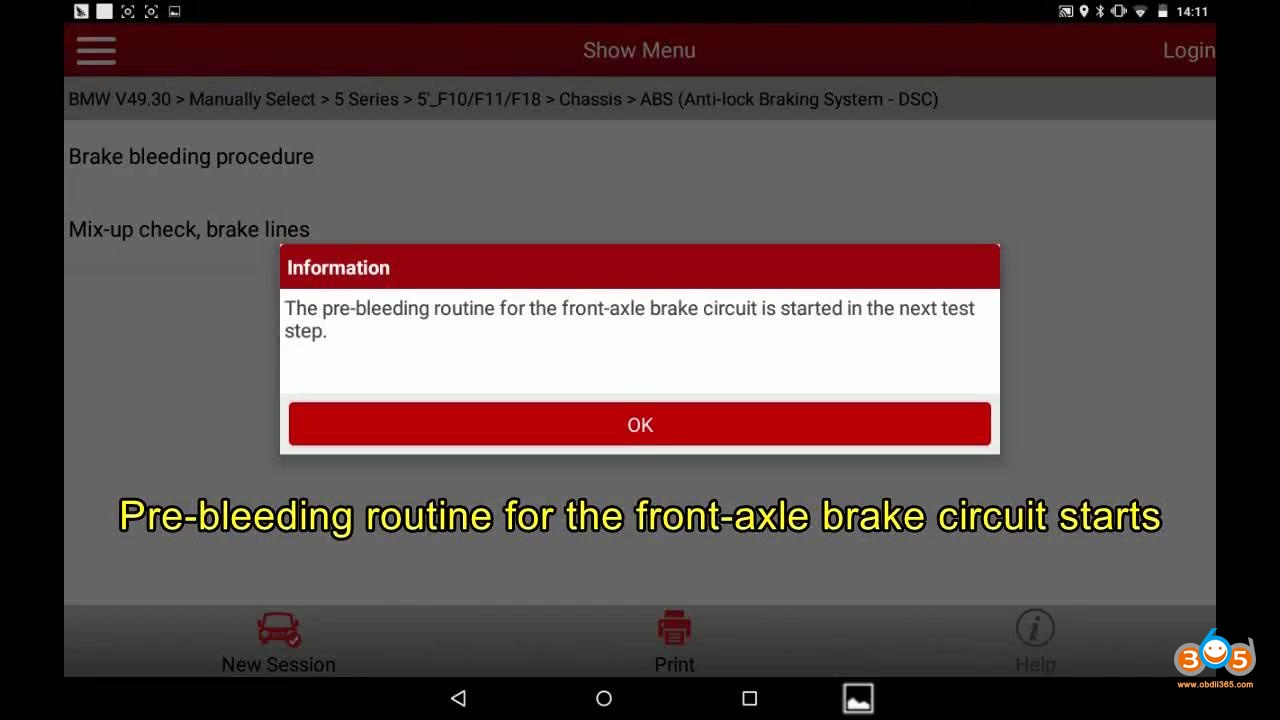
Pre-bleeding routine for the front-axle brake circuit starts.

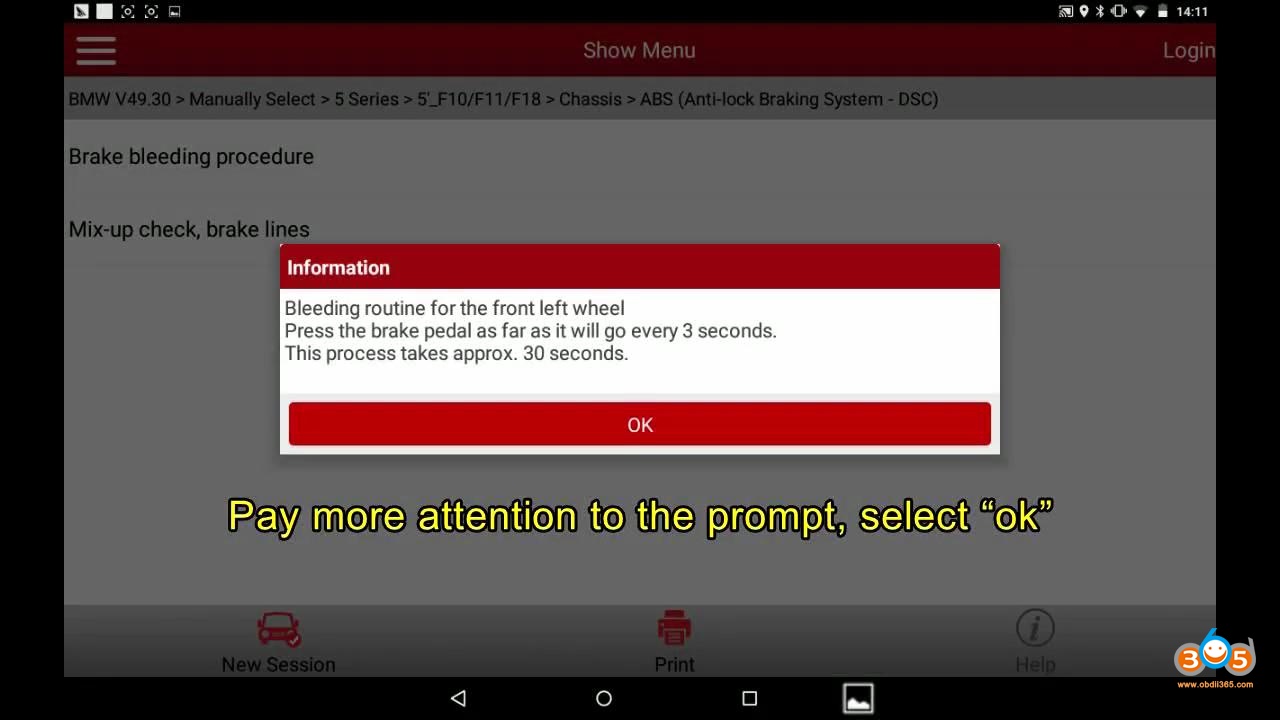
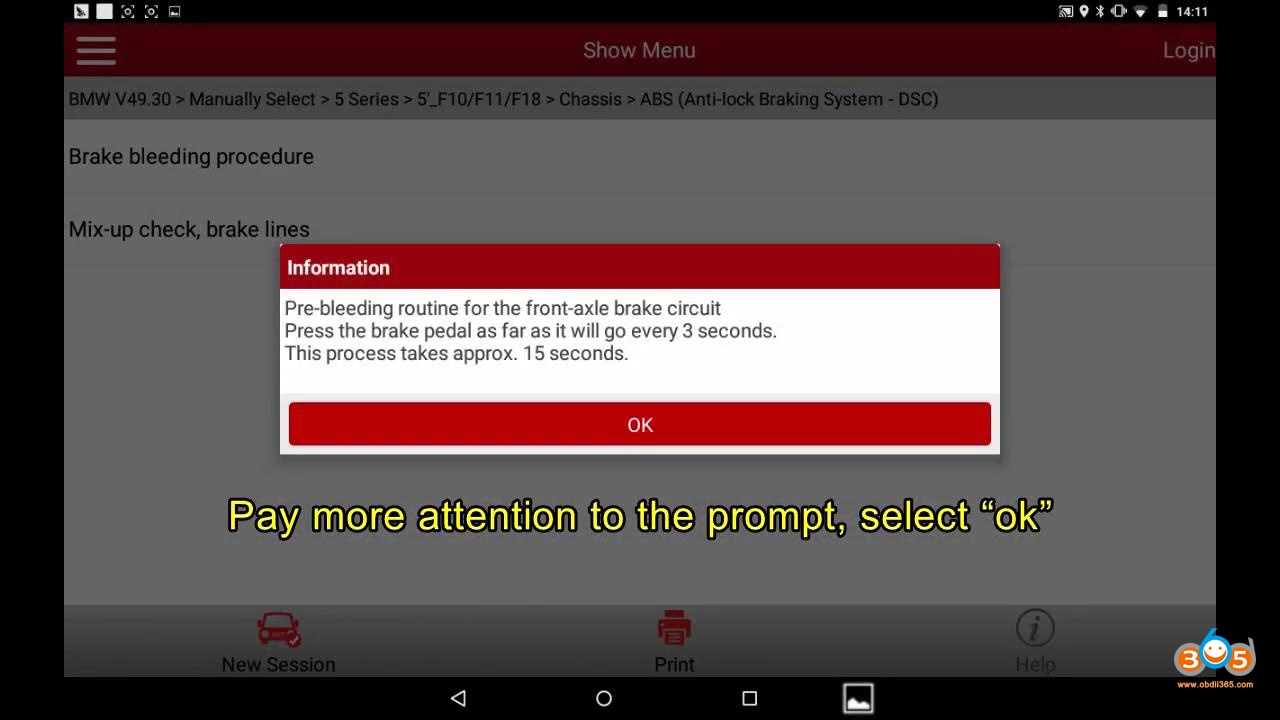
Pre-bleeding routine for the front-axle brake circuit. Press the brake pedal as far as it will go every 3 seconds.

This process takes approx. 15 seconds.

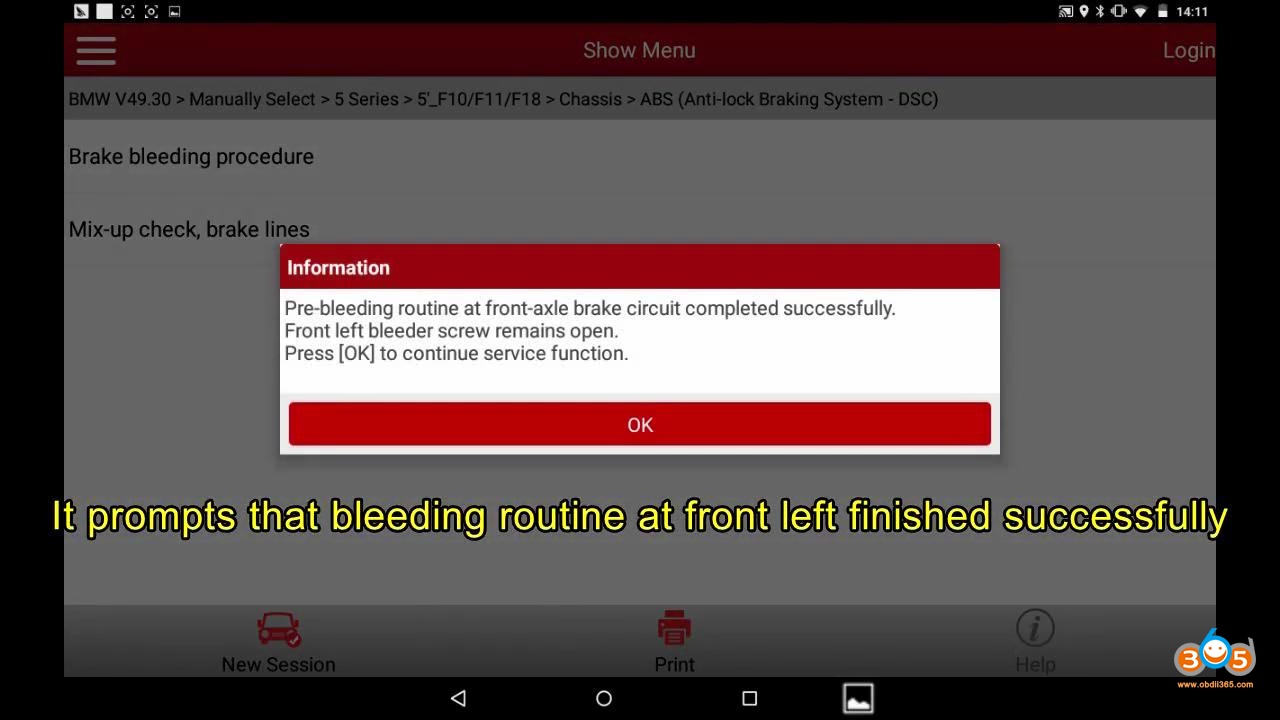
Bleeding routine at front left finished successfully.
Launch X431 2011 Bmw F Chassis Abs Bleeding 18 Launch X431 2011 Bmw F Chassis Abs Bleeding 19 Launch X431 2011 Bmw F Chassis Abs Bleeding 20


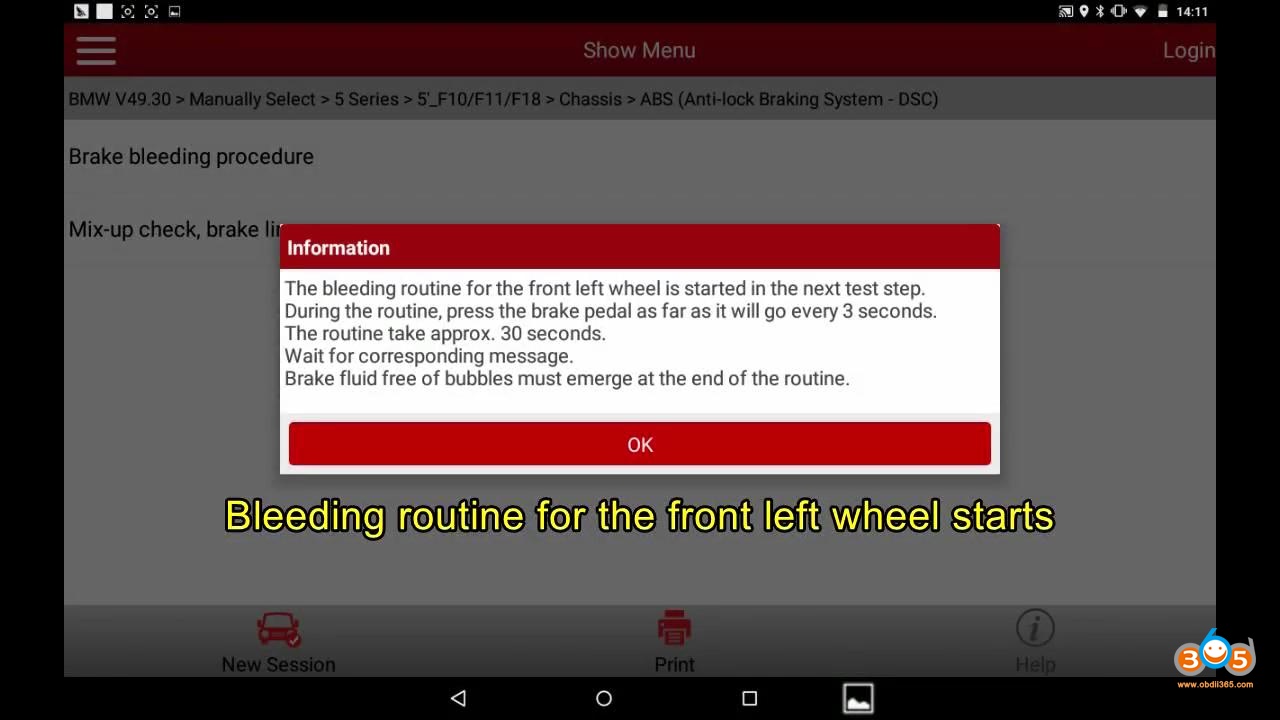
Bleeding routine for the front left wheel starts.

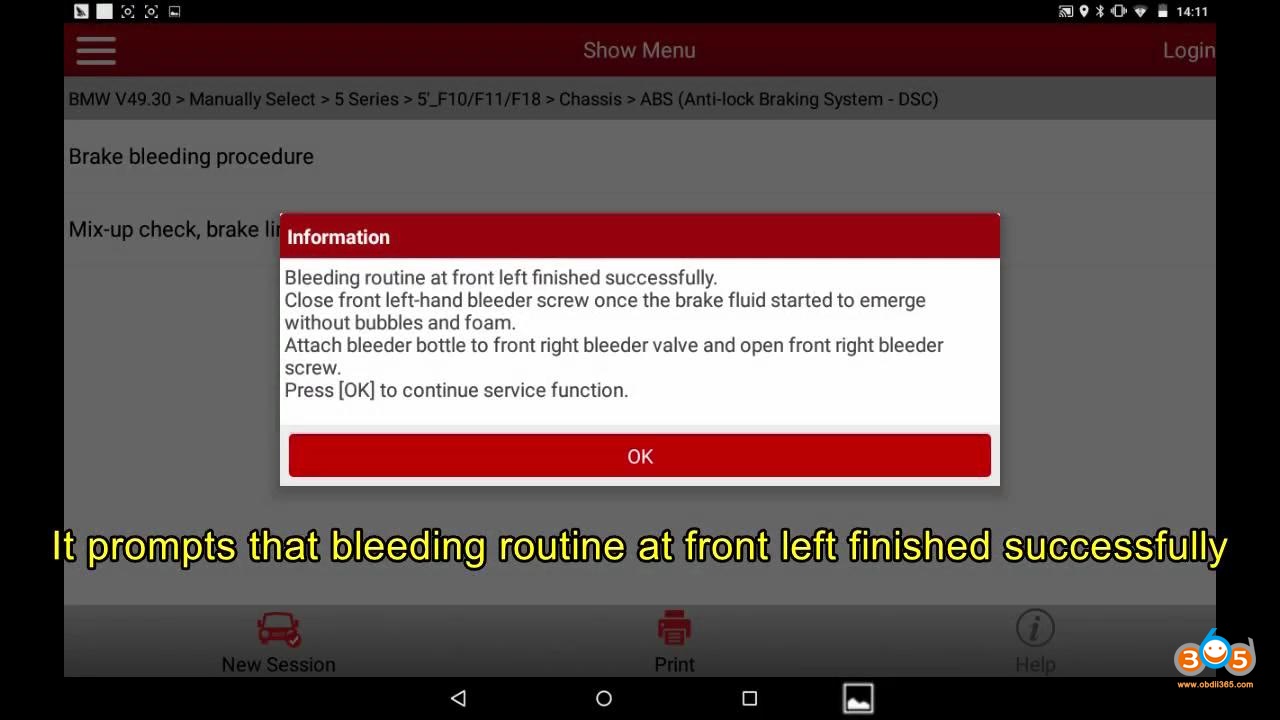
Read the prompts and follow to do.

Bleeding routine at front left finished successfully.
Launch X431 2011 Bmw F Chassis Abs Bleeding 21 Launch X431 2011 Bmw F Chassis Abs Bleeding 22 Launch X431 2011 Bmw F Chassis Abs Bleeding 23


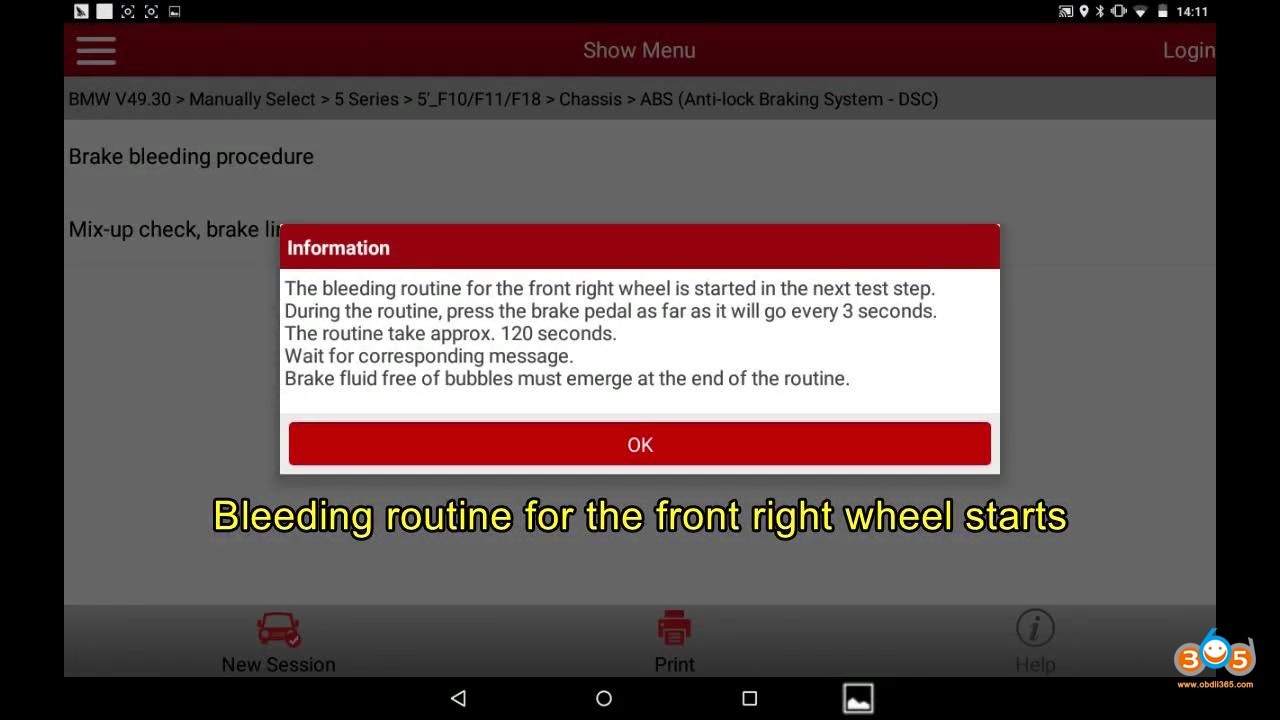
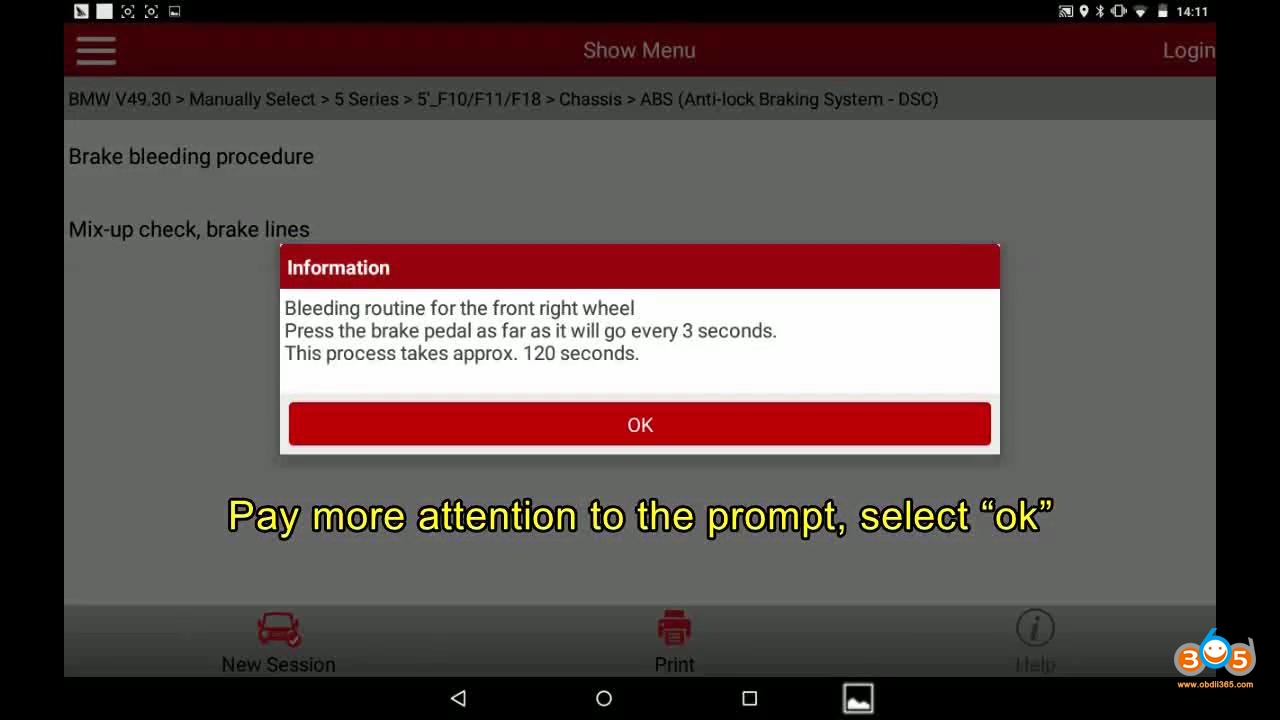
Bleeding routine for the front right wheel starts.

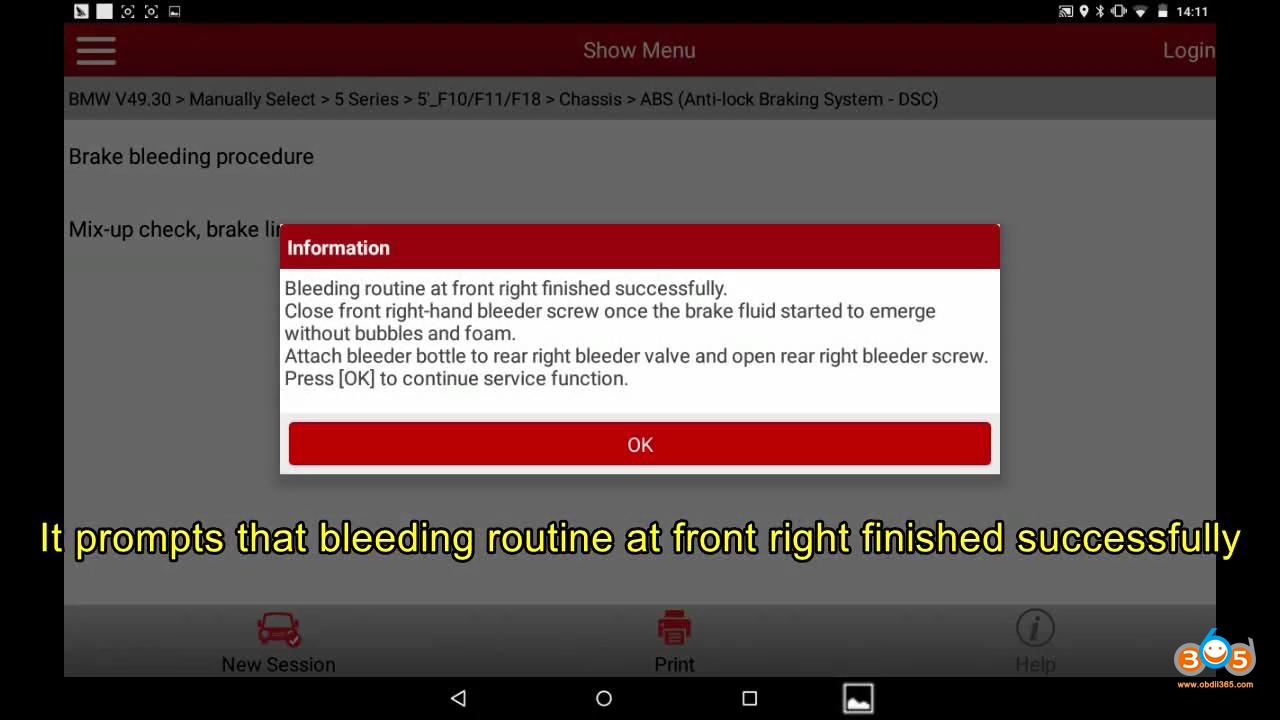
Attention to the prompt.

Finished successfully
Launch X431 2011 Bmw F Chassis Abs Bleeding 24 Launch X431 2011 Bmw F Chassis Abs Bleeding 25 Launch X431 2011 Bmw F Chassis Abs Bleeding 26


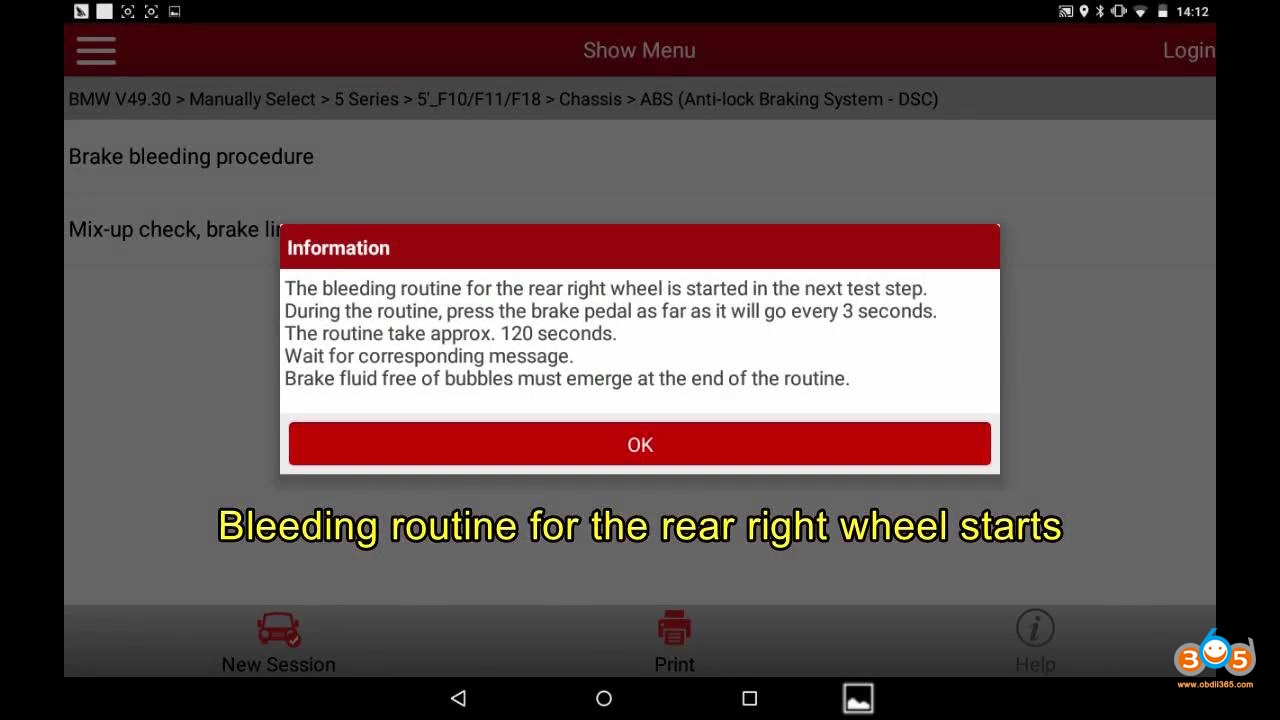
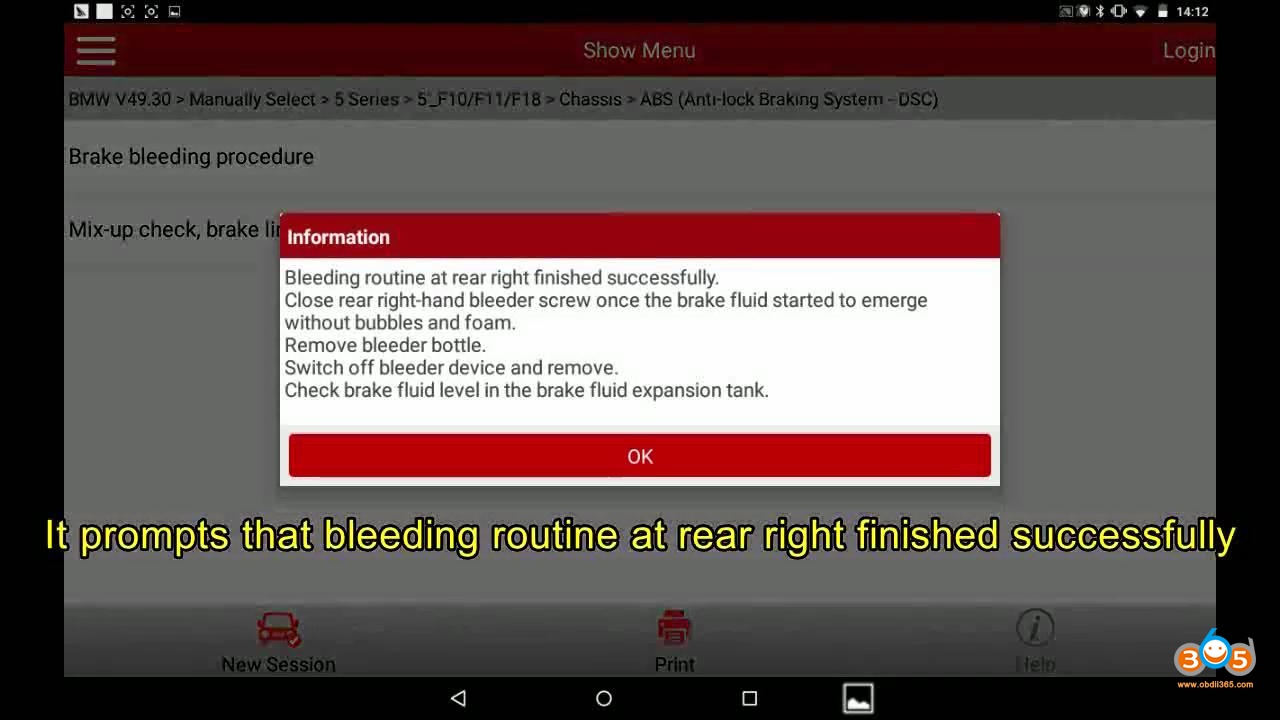
Bleeding routine for the rear right wheel starts.

Attention to the prompt.

Finished successfully
Launch X431 2011 Bmw F Chassis Abs Bleeding 27 Launch X431 2011 Bmw F Chassis Abs Bleeding 28 Launch X431 2011 Bmw F Chassis Abs Bleeding 29


Launch X431 V+ / X431 V tech support: www.obdii365.com

2020年8月25日星期二

Launch X431 V+ diagnose Hyundai Kia Functions

Confirmed!Launch X431 V+ diagnose Hyundai Kia etc Korean cars, even to the 2020 year.100% works 

Firstly, Launch X431 V+ Hyundai function list:

http://qcar.x431.com/newqcar/

Click on “Passenger car series”;

Click on the letter “H”;

Click on “Hyundai”;

Select “Model” -> “Year” -> “System” -> “Function”.

X431 V+ can work with Hyundai from 1989 – 2020 year.

You will see X431 V+ support Hyundai cars even to 2020 year [for Accent / Solaris (HCR), Elantra(AD), G90(HI), Grandeur /Azera (IG), H-1/iMax/iLOAD(TQ), Kona(OS), Nexo (FE), Palisade(LX2), Reina(CB), Santafe(TM), Santro(AH2), Veloster (JS), i30 (PDE), i30N(PDEN).

Attach one screenshoot:

Launch X431 V+ diagnose Hyundai


Then, Launch X431 V+ Kia function list:

Back to click on “K”;

Then “Kia”;

Select “Model” -> “Year” -> “System” -> “Function”.

X431 V+ can work with Kia from 1990 – 2020 year.

For the following Kia models, it can cover to 2020 year:

Cerato/Forte(BDm), K900 (RJ), Optima Hybrid (JF HEV), Optima PHEV (JF PHEV), Optima (JF), Optima (JFA) – For Central and South America, Pegas /Soluto (AB), RIO (SC), RIO (YB), Sedona (YP), Sorento (UM), Soul EV (SK3 EV), Soul EV (SK3 EV) – For Mexico, Soul (SK3), Soul (SK3) – For Mexico, Sportage (QL), Stonic (YB CUV), Telluride (ON)

Launch X431 V+ diagnose Kia


Launch X431 V+ reliable source:

https://www.obdii365.com/wholesale/launch-x431-v-plus-wifi-bluetooth-global-version-full-system-scanner.html

Source:http://blog.obdii365.com/2020/08/25/launch-x431-v-diagnose-hyundai-kia-korean-cars/

2020年8月17日星期一

How to Check Cayenne 958 engine oil level by PIWIS or launch X431 V

In the Cayenne 958 Service Manual there is a procedure to check the engine oil level with the PIWIS tester. This is more accurate than the normal procedure with the instrument cluster screen and on top of that, it tells you how much oil you have to top to be at max level.

Here is the procedure:
WM 170101 CHECKING ENGINE-OIL LEVEL USING THE PIWIS TESTER (CAYENNE,
CAYENNE GTS, CAYENNE S HYBRID, CAYENNE S E, CAYENNE TURBO, CAYENNE
(3.0)) > CHECKING ENGINE-OIL LEVEL

Information
The PIWIS Tester II 9818 instructions take precedence and in the event of a discrepancy these are the
instructions that must be followed. Deviations may occur with later software versions.

1. PIWIS Tester II 9818 must be connected and ignition switched on.
2. Start the diagnostic program and select the required vehicle.
3. Select the DME control unit in the control unit overview. Press [F12] to continue.
4. Select the Maintenance/repairs menu. Press [F12] to continue.
5. Select the Oil filling function. Press [F12] to continue.
6. Start the engine and let it run until an engine oil temperature of 90° C is reached.Rev the engine if necessary to heat the engine oil to the specified temperature.
7.The oil level measurement process starts automatically as soon as the engine oil temperature
of 90° C is reached.
8. Switch off engine.
9. Add the quantity of oil displayed on the PIWIS Tester II 9818 .
10. Disconnect the PIWIS Tester.

With the X431 it is located in the “Oil filling” special function menu of the DME and here is how it works:

Test ongoing:

Check Cayenne 958 engine oil level by launch X431 V 1

Check Cayenne 958 engine oil level by launch X431 V 2


Result (0.9 liter to add):


Enjoy!

 Source:http://blog.obdexpress.co.uk/2020/08/18/check-cayenne-958-engine-oil-level-with-piwis-tester-or-x431-v/

2020年7月28日星期二

Solved! Launch X431 PAD III: only "All" & "Common" software display

Question: After downloading Launch X431 PAD iii software, I tried to tap “Local Diagnose”, then “ALL”, “Common”, “American”, “European”, “Asian”, “Chinese”, “HD” etc, and found only “ALL”, “Common” and “HD” has software. Is it normal?
Solved! Launch X431 PAD III: only "All" & "Common" software display  1

Solved! Launch X431 PAD III: only "All" & "Common" software display 2

Solved! Launch X431 PAD III: only "All" & "Common" software display  3


This is machine serial number:
Solved! Launch X431 PAD III: only "All" & "Common" software display  4

Launch engineer replied:
This is Heavy Duty version, after updating, please choose ” HD” or “All”, the other options contain the gasoline cars, the heavy duty machine does not come with the gasoline car software.

Under any of “American”, “European”, “Asian” and “Chinese”, there are gasoline cars, the heavy duty software is not listed there, they are all in “HD” option, you don’t need to buy additionally, it’s normal.
Solved! Launch X431 PAD III: only "All" & "Common" software display 5
Enjoy!

2020年7月27日星期一

Launch CRP909 Vs. CRP479 Vs. CRP129i Vs. X431 Pro mini Vs. CRP123i

Launch CRP909 Full-system Scanner with 15 Special Functions is the best among CRP479, CRP129i, X431 Pro mini, CRP123i, it owns the biggest touch LCD, can access to all systems, owns the most special functions.
Look at the comparison table:


Launch CRP909 Full-system ScannerLaunch X431 CRP479 OBD ScannerLaunch CRP129i Diagnostic ToolLaunch X431 PRO MINI Diagnostic ToolLaunch CRP123i Diagnostic Scanner
ImageLaunch Crp909 01Launch X431 Crp479 02Launch CRP129i Diagnostic ToolLaunch X431 PRO MINI Diagnostic ToolLaunch CRP123i Diagnostic Scanner
Value398.00USD259USD238.88USD789.00USD168.88USD
Display7.0 inch touch LCD5.0 inch touch LCD5.0 inch touch LCD6.8 inch touch LCD5.0 inch touch LCD
Operating SystemAndroid 7.1Android 5.0Android 7.1Android 5.0Android 7.1
Full OBDII Diagnostic✓✓✓✓✓
Read and Clear Codes on All-system✓
Engine/ABS/SRS/Transmission✓Engine/ABS/SRS/Transmission
Special Funtions15 Special Functions: Oil Reset/ EPB/ BMS/ DPF/ SAS/ TPMS/ IMMO/ Auto ABS Bleed/ AFS/ TPS/ Fuel Injector Coding / Sunroof Reset/ Suspension Reset/ Gearbox Reset/ Gear Learning15 Special Functions: Oil Reset/ EPB/ BMS/ DPF/ SAS/ TPMS/ IMMO/ Auto ABS Bleed/ AFS/ TPS/ Fuel Injector Coding / Sunroof Reset/ Suspension Reset/ Gearbox Reset/ Gear Learning5 Special Functions: EPB/SAS/TPMS/Oil Reset/Throttle Adaptation.11 Special Functions: Oil Reset/ EPB/ BMS/ DPF/ SAS/ TPMS/ IMMO/ Auto ABS Bleed/ Gear Learning / TPS/ Fuel Injector Coding
AFS Headlamp Reset:✓✓


Gear Learning✓✓
✓
Throttle Adaptation / Fuel Injector Coding✓✓✓✓
Sunroof Reset/ Suspension Reset/ Gearbox Reset
✓


Conclusion:
Launch CRP909 is the most cost-effective all-in-one diagnostic tool, facts speak louder than words, here is a good example:
Launch CRP909

Launch x431 CRP909
Launch CRP909 works well for my 2015 BMW, it automatically scans the VIN and learns the model of your car, you don’t even need to choose any car model, it scans all systems fault codes and determine what is required to fix cars. Let me know I can save money and time when some of component broke before, and I usually send it to garage and they always tell me I need to replace a new one, but now I know, actually some codes can be erased directly and don’t need to replace anything, I have to admit the tool is really powerful, highly recommend!
Enjoy!